
7 Tips for Hallucination Prevention in AI: Making AI More Reliable
AI can sound extremely confident even when it is wrong. In real customer support workflows, that becomes a serious risk. A well-written answer is not useful if it is based on outdated information, weak data, or unsupported assumptions.
In support operations, hallucinations can lead to incorrect policy explanations, wrong account actions, or misleading product guidance. That is why hallucination prevention has become a priority for teams focused on Reliable AI automation.
The goal is not just better phrasing. The goal is to make every AI response accurate, traceable, and safe to use in practice. Here are seven practical ways to reduce hallucination risk.

1. Ground Responses in Verified Data Sources
To reduce hallucinations, control where the AI gets its information. Instead of letting it generate open-ended responses from general patterns, connect it directly to internal knowledge bases, help center content, or other structured sources.
This shifts the system toward retrieval-based behavior, where it pulls relevant information first and then generates a response grounded in verified data.
This matters most in cases where accuracy is critical, such as:
- explaining policy details
- giving billing information
- providing product-specific guidance
2. Keep Knowledge Bases Clean and Updated
Even a strong AI system will struggle if the source material is outdated, duplicated, or inconsistent.
Many hallucination problems come from disorganized documentation rather than the model itself. Duplicate articles, vague instructions, and outdated policies can all increase the chance of incorrect answers.
Keeping the knowledge base clean, structured, and regularly updated is one of the most practical ways to improve reliability, especially as automation scales.
3. Use AI with Clear Boundaries, Not Unlimited Scope
Another major cause of hallucinations is giving AI too much freedom. When a system is expected to handle everything from FAQs to complex edge cases, it becomes more likely to produce uncertain or incorrect responses.
Teams reduce this risk by clearly defining:
- what the AI is allowed to answer
- when the AI should escalate
- when a human handoff is required
- which workflows the AI can handle safely
Limiting scope does not reduce the usefulness of AI. It usually makes the system more dependable.

4. Build in Human Escalation
Some customer questions will be unusual, sensitive, or poorly represented in past data. In those cases, even an advanced AI system may respond confidently without being correct.
That is why human escalation needs to be a core part of production design. Fallback mechanisms should reroute uncertain cases to human agents, especially for complaints, billing issues, and other high-risk interactions.
5. Monitor Outputs, Not Just Inputs
Many teams focus heavily on training data and setup, but do not watch live outputs closely enough once the system is running.
At minimum, teams should monitor:
- response accuracy
- escalation rates
- failure patterns
This helps identify where hallucinations still occur and what tends to trigger them. Over time, those patterns reveal whether the issue comes from weak documentation, ambiguous requests, or unsupported edge cases.
6. Avoid Over-Automating Too Early
There is often pressure to automate as much as possible immediately, but pushing AI too quickly into complex workflows usually increases hallucination risk.
A safer rollout pattern is to:
- automate simple queries first
- test performance in controlled scenarios
- expand gradually based on measured results
This gives the system time to stabilize before it handles more serious or operationally sensitive tasks.
7. Use AI Systems Designed for Task Completion, Not Just Responses
One less obvious way to reduce hallucinations is to shift the AI focus from generating responses to completing validated actions.
When a system only generates answers, there is more room for unsupported output. When it is tied to real workflows and system actions, validation becomes part of the process. That reduces the chance of incorrect responses because the system relies more on real data and actual execution.
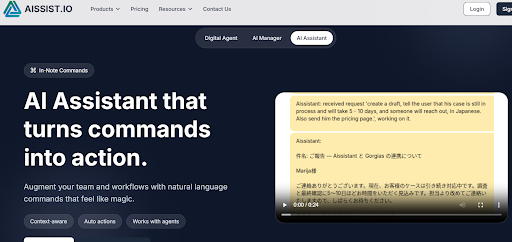
Platforms like Aissist.io approach this by connecting reasoning with execution. Instead of only answering a request, the system can verify data, take action, and complete the workflow.
What This Means in Practice
Most support teams eventually realize that hallucination problems are not just model problems. Reliability comes from the full system around the model.
Accuracy usually depends on:
- clean data
- well-defined boundaries
- controlled workflows
- human fallback when needed
Hallucination prevention is less about making AI "smarter" in isolation and more about building a safer operating system around it.
Thinking About Making Your AI More Reliable?
Instead of asking how to eliminate hallucinations completely, the more useful question is where your team can safely trust AI and where oversight still matters.
That shift in thinking leads to more stable automation. It helps teams identify which support tasks can be automated with high confidence and which still benefit from human judgment.
If you are evaluating systems through that lens, execution-focused platforms such as Aissist.io are built with more guardrails than purely response-driven tools, which can help reduce hallucination risk while still moving automation forward.
FAQs
What causes AI hallucinations in customer support?
Common causes include weak or outdated source data, unclear system boundaries, and forcing AI to answer requests it does not understand well.
Can teams completely eliminate AI hallucinations?
Not completely, but teams can reduce them substantially with better data quality, stronger system design, and more controlled workflows.
Does task-based AI reduce hallucinations?
Yes. Task-based AI relies more on validated actions and connected systems rather than open-ended response generation alone.