Aissist vs Intercom Fin: Which Resolves More End to End?
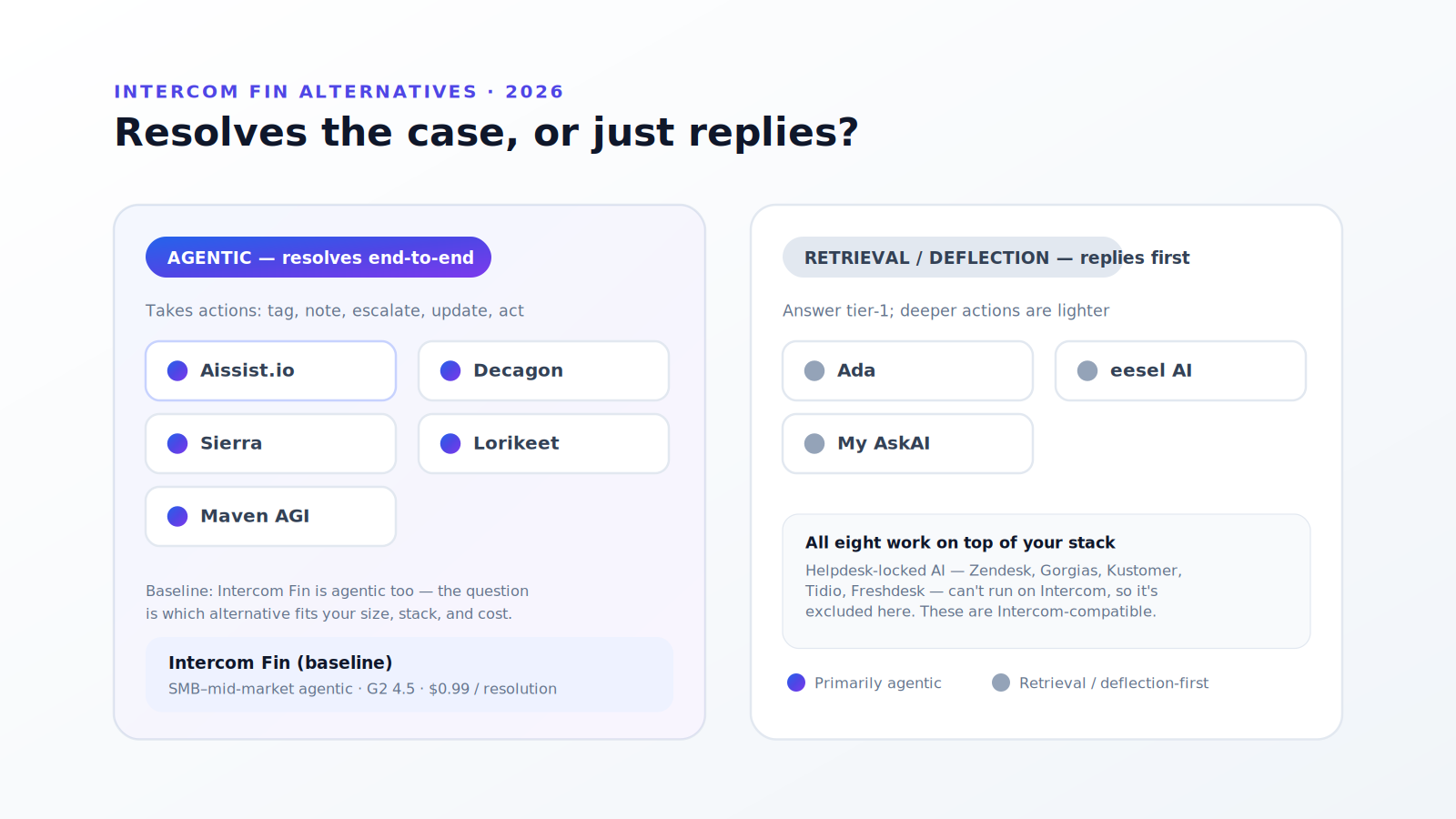
Most AI support tools can answer simple questions. The real challenge begins when customers need order updates, account changes, refunds, escalations, or actions that depend on multiple systems. If you're evaluating a move off the Intercom platform itself — not just the Fin AI agent — see our best Intercom alternatives guide.
That is where many AI implementations stall. A chatbot may provide the right answer, but still hand the case to a human before the actual work is complete. That is why more support teams are judging AI by resolution quality, not just response quantity — and by whether the pricing model actually saves money at scale.
This comparison looks at how Aissist and Intercom Fin differ in capability, how each platform is trained, what independent reviewers report, and which one delivers better outcomes for complex customer support and sales operations.
For a concise, scored side-by-side, see our Aissist vs. Intercom Fin comparison.
Quick Comparison
At a high level, Intercom Fin is built for conversational resolution inside the Intercom ecosystem. Aissist is built for end-to-end workflow execution inside whichever helpdesk you already use — Intercom, Zendesk, Front, Gorgias, Freshdesk, HubSpot, and more — including sales, not just support.
| Category | Intercom Fin | Aissist |
|---|---|---|
| Primary focus | Conversational support automation | End-to-end support and sales automation |
| Best fit | Intercom-only teams with FAQ-heavy workloads | Any helpdesk stack with backend-heavy workflows |
| Platform support | Intercom (deepest); limited third-party helpdesk use | Native on Intercom, Front, Gorgias, Freshdesk, Zendesk, HubSpot, and more |
| Core strength | Fast deployment and knowledge-based answers | Multi-system action execution and sub-agent coordination |
| Training model | Content, Guidance, Attributes, Escalation, Procedures, Custom Answers | Assets, Integrations, Sub-agents, Escalation Instructions, Handover Rules, Simulator |
| Resolution focus | Conversation closed without human handoff | Task completed across systems |
| Pricing model | $0.99 per resolution (+ Intercom seats) | $0.09 per interaction |
| Typical cost per resolution | ~$0.99 (fixed per outcome) | ~$0.59 chat / ~$0.23 email (at avg interaction counts) |
| Sales automation | Limited | Native — roughly half of deployments include sales |
What Reviewers Say About Intercom Fin
Intercom Fin is one of the most visible AI agents in customer service. It earns strong ratings on G2 (around 4.5/5 across thousands of reviews) and is frequently cited for broad channel coverage and fast setup inside Intercom.
Independent testing tells a more nuanced story:
- Resolution rates vary widely, and nobody neutral has measured them. Intercom reports an average resolution rate of 76% across customers (March 2026) and markets up to 89% automation opportunity by conversation type. Lower counter-figures in the 38–55% range circulate widely, but every one we could trace originates with a company selling a Fin alternative, and none publishes its ticket mix, sample or definition of resolution — so we no longer cite them, and you should discount them the same way you discount Intercom's own number. There is currently no independent audit of Fin's production resolution rate. The only honest comparison is a pilot on your own tickets, with resolution defined before you start.
- Knowledge quality is the bottleneck. Fin performs best when help center content is thorough and well structured. Teams with incomplete documentation see Fin struggle on basic questions — including scenarios where users report it failing on login instructions despite large document libraries (Reddit and Trustpilot reviews summarized in our Fin review roundup).
- Escalation can misfire. Reviewers on Reddit and Trustpilot note that Fin sometimes sends multiple unhelpful replies before escalating, or fails to recognize when a human should take over — even when Attributes and Escalation rules are configured.
- Setup depth takes time. Fin can go live quickly for FAQ-style use cases, but custom prompt tuning, vertical compliance, and non-English support often require weeks of iteration.
- Pricing scales linearly. At $0.99 per outcome plus Intercom seat fees ($29–$132/seat/month depending on plan), total cost grows directly with volume. Reviewers flag unpredictable bills as teams scale past a few thousand resolutions per month.
Fin is genuinely strong for Intercom-native teams with clean knowledge bases and straightforward support loads. The gap appears when workflows require backend execution, when resolution math does not match marketing, or when per-resolution billing outpaces actual labor savings.
How Intercom Fin Works and How to Train It
Fin is configured through a structured Train menu in the Fin AI Agent dashboard. Each module controls a different layer of behavior.
Content
Content is Fin's foundation. Teams enable Intercom articles, snippets, PDFs, web pages, and external knowledge sources under Train > Content. Fin retrieves from approved sources when generating answers. Audience targeting lets Fin use different content sets for different customer segments.
Strength: Fast to connect existing help center material.
Limit: Fin reads and responds from content — it does not independently verify live system state unless a Procedure or connector is involved.
Guidance
Guidance shapes how Fin behaves beyond raw retrieval. Under Train > Guidance, teams define:
- Tone and terminology — brand voice, phrasing rules, and vocabulary
- Context and clarification — what Fin should ask before answering (e.g., confirm iOS vs Android before troubleshooting)
- Content and sources — which articles Fin must prioritize for specific question types, using
@references - Handover and escalation — when Fin should route to humans instead of answering
Guidance is written in natural language with conditional logic. It is powerful for conversational control but still operates at the reply layer.
Attributes
Attributes inject customer and conversation data into Fin's reasoning — plan type, account status, region, subscription tier, and custom fields. Attributes appear in Guidance and Escalation rules so Fin can personalize responses or trigger different paths.
Limit: Attributes improve context for answers; they do not by themselves let Fin execute multi-system workflows.
Escalation
Under Train > Escalation, teams configure when Fin hands off to humans through two mechanisms:
- Escalation Rules — deterministic triggers based on data (e.g., escalate if plan = Enterprise)
- Escalation Guidance — natural-language scenarios (e.g., escalate if customer mentions cancellation)
Fin also bills certain procedure handoffs as billable outcomes, which affects how escalation design interacts with cost.
Procedures
Procedures are Fin's most capable automation layer. Under Train > Procedures, teams build multi-step workflows with instructions, deterministic conditions, data connectors, and tools. Procedures can validate data, branch on attributes, and include explicit Escalate to team steps.
This is where Fin gets closest to action-taking — but Procedures remain scoped to the Intercom workflow environment. Complex backend work (refunds across billing systems, account provisioning, cross-CRM updates) still frequently ends in human handoff.
Custom Answers
Custom Answers under Train > Custom Answers provide hardcoded, high-priority responses for specific questions. They override general retrieval when trigger conditions match and can include rich media or connector data.
Custom Answers suit stable, high-volume questions with fixed answers. They do not replace the need for procedural execution on dynamic requests.
What Aissist Offers
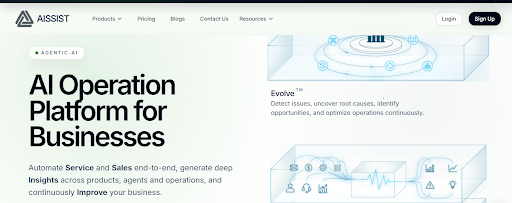
Aissist approaches automation as an execution layer, not just a conversation layer. Its AgentMesh digital workforce is designed to complete work inside the systems teams already use — Zendesk, Intercom, Front, Gorgias, Salesforce, Freshdesk, and internal APIs.
Where Fin optimizes for closing conversations, Aissist optimizes for completing outcomes: updating records, processing refunds, qualifying leads, syncing data, and escalating at defined checkpoints rather than by default.
Where Aissist Is Strong
- Works on your existing helpdesk — native integration with Intercom, Zendesk, Front, Gorgias, Freshdesk, HubSpot, and more, with no platform migration required
- Multi-step workflow execution — connects to CRMs, billing, databases, and operational systems
- Multi-Agent Platform (MAP) — specialized sub-agents collaborate on complex cases instead of one general model handling everything
- Support and sales in one workforce — roughly half of Aissist deployments automate sales workflows alongside support
- Human and AI collaboration — escalation instructions define when to escalate; handover rules route each case type to the right team inside your helpdesk
- Strong resolution performance — across 500+ business clients, average autonomous resolution is approximately 83%, reaching up to 98% in mature deployments, with 70% of customers between 80–98% (Aissist internal customer data)
Revenue Impact Beyond Cost Savings
Aissist is not limited to deflecting tickets. Customers use it to capture and convert revenue that would otherwise be lost:
- Holafly uses AI to capture leads when human agents are occupied, generating nearly €1 million per month in revenue that would have been missed — while boosting sales conversion from 32% to 42% (Holafly customer story).
- Sunroom Rentals automated 100% of inbound sales inquiries with 98% end-to-end resolution, cut costs by 50%, and opened new business lines (Sunroom customer story).
- Across the customer base, Aissist generates millions of dollars in additional revenue per month for clients — not just operational savings (Aissist aggregate customer outcomes).
For many teams, the ROI case for Aissist includes both lower cost per resolution and incremental revenue from sales automation.
How to Train Aissist
Aissist uses a practical four-step training path designed for production reliability, not just demo-quality replies.
Step 1: Create Workspace
Start with your company URL and a short description of what the AI should handle. Aissist analyzes the site, creates the workspace, adds initial assets, and generates starter sub-agents — usually in under five minutes. At this stage, performance already exceeds most traditional chatbots.
Step 2: Add Assets
Assets are Aissist's knowledge foundation. Connect websites, Google Docs, spreadsheets, PDFs, help-center content, and internal documentation. Aissist is information-hungry: more high-quality assets produce better reasoning.
Unlike static RAG-only systems, Aissist also surfaces conflicting or outdated asset information during live operation so teams can improve knowledge continuously. Google Docs works especially well as a collaborative, easy-to-maintain knowledge layer.
Step 3: Create Sub-agents
Sub-agents are the highest-leverage training step. Each sub-agent specializes in a domain — refunds, shipping, warranty, account changes, pre-sales, connectivity, billing — rather than forcing one model to handle everything.
On each execution, a super agent plans the work, activates relevant sub-agents, gathers facts from each specialist, and produces multiple outputs at once (replies, tags, API calls, summaries, escalations). Sub-agent performance is measurable individually through Pulse — including resolution rate, NPS, and CSAT per domain.
An AI builder helps create sub-agents from a rough description, handling detailed setup automatically.
Step 4: Connect Integrations
Static assets handle informational work. Integrations handle operational work. Aissist connects to any system with an accessible API or database interface and defines smart actions that retrieve and update live data — order status, account records, inventory, eligibility checks, refund processing.
This is what enables true end-to-end resolution. The AI does not just explain how to get a refund; it can verify eligibility, process the refund, update the ticket, and confirm with the customer.
Escalation and Handover
Aissist gives teams fine-grained control over when and how cases move to humans — not just a single default escalation path.
At the workspace level, teams configure escalation instructions that tell the AI when a conversation is stuck, when to escalate proactively, and how to summarize context for the human agent taking over. The engine detects escalation needs automatically, but those instructions let you align handoffs with your policies — for example, escalating billing disputes immediately while allowing more troubleshooting on technical issues.
At the integration level, handover rules route different case types to different teams inside your helpdesk. Each rule maps a sub-agent (or group of sub-agents) to a specific team, inbox, group, or queue — so refund cases go to billing, technical issues go to engineering support, and sales inquiries go to the sales team. This works across Intercom, Zendesk, Front, Gorgias, Freshdesk, HubSpot, and other supported platforms.
Together, escalation instructions and handover rules mean Aissist can hand off with context and land each case with the right team — not just unassign itself and leave routing to chance.
Simulator and Evaluation
At every training step, Aissist provides simulator and evaluation tools to test behavior before production deployment. Teams can replay scenarios, validate sub-agent routing, check escalation paths, and measure resolution quality without risking live customer interactions.
This closed-loop testing is critical for teams where wrong answers are not an option — and it is a meaningful difference from platforms that rely primarily on content tuning and post-launch monitoring.
Head-to-Head: Training and Capability
| Dimension | Intercom Fin | Aissist |
|---|---|---|
| Knowledge input | Articles, snippets, PDFs, web pages | Assets: docs, sites, spreadsheets, PDFs |
| Behavioral control | Guidance (tone, context, source priority) | Sub-agent instructions + workspace-level context |
| Personalization | Attributes (plan, region, custom fields) | Live system data via integrations + smart actions |
| Workflow automation | Procedures (Intercom-scoped steps and connectors) | Sub-agents + API actions across any connected system |
| Escalation | Rules + Guidance (deterministic and NL) | Escalation instructions + handover rules to route cases to different teams |
| Fixed responses | Custom Answers | Sub-agent specialization (more flexible than hardcoded Q&A) |
| Pre-launch testing | Simulation in Fin dashboard | Full simulator at each training stage |
| Multi-agent coordination | Single agent with governance rules | Native Multi-Agent Platform with specialized sub-agents |
| Backend execution | Limited to procedure connectors | Direct API, CRM, billing, and database actions |
| Sales workflows | Not a core focus | Native — lead qualification, conversion, follow-up |
The Pricing Reality: Why Fin Often Does Not Save Money
Intercom lists Fin at $0.99 per outcome. In Fin's ROI calculator and related sales materials, savings are often modeled using assumptions such as ~35 minutes of handle time per conversation and ~$23/hour in fully loaded agent cost. That implied labor saving is: (35 ÷ 60) × $23 ≈ $13.42 per automated resolution.
That math assumes in-house agents in high-cost markets. Most companies do not operate that way:
| Assumption | Intercom's model | Typical outsourced reality |
|---|---|---|
| Agent hourly cost | ~$23/hour (Fin ROI assumptions) | ~$5–$10/hour (Southeast Asia, Latin America) |
| Time per conversation | ~35 minutes (Fin ROI assumptions) | ~5–10 minutes (industry handle-time estimates for tier-1 support) |
| Effective cost per human resolution | (35 ÷ 60) × $23 ≈ $13.42 | ~$0.42–$1.67 (often ~$0.70–$0.80) |
At $0.99 per resolution, Fin frequently costs more than the human labor it replaces — especially for teams already using outsourced or offshore support. Add Intercom seat fees ($29–$132/seat/month) and a 50-outcome monthly minimum on standalone Fin, and the economics get worse at scale.
Independent pricing analysis confirms the pattern: at 2,000 monthly resolutions, Fin usage alone runs 2,000 × $0.99 ≈ $1,980/month before seats (Corebee pricing analysis) — and costs scale linearly with every additional resolution.
Aissist Pricing: Lower Cost at Higher Volume
First, the units are not the same, and that matters more than the headline. Fin bills $0.99 per outcome — one price, no denominator, nothing about your ticket mix can change it. Aissist bills $0.09 per interaction, capped at $0.60 per resolution. Comparing those two directly requires knowing how many interactions your cases take, and that number is yours, not ours. Any article — this one included — that converts a per-interaction price into a per-resolution price is making an assumption on your behalf.
The cap is what makes the comparison safe to publish. Because billing stops at $0.60 per resolution, the interaction count sets the floor but not the ceiling:
| Interactions to resolve | Aissist cost per resolution | vs Fin's $0.99 |
|---|---|---|
| 2 (typical email in our own data) | $0.18 | 82% less |
| 6.5 (typical chat in our own data) | $0.585 | 41% less |
| 7 or more | $0.60 (capped) | 39% less, and it stops rising |
The 2 and 6.5 figures are our own production averages, self-reported and not independently audited — treat them as our claim, not a benchmark, and expect your own mix to differ. The row that does not depend on them is the third one: past roughly seven interactions the cap binds, so $0.60 is the worst case regardless of how talkative your cases are. That is the number to hold us to.
Where this comparison would flip. If Fin resolves a case your Aissist deployment cannot, the per-unit price is irrelevant — you pay Aissist and still pay a human. Cost per resolution only decides anything once both tools actually resolve the case, which is why the pilot matters more than either rate card.
For a team handling 5,000 chat resolutions per month:
- Fin: 5,000 × $0.99 = ~$4,950/month in outcome fees alone (before Intercom seats; Intercom pricing)
- Aissist: between ~$2,925 (at our average 6.5 interactions) and ~$3,000/month (at the $0.60 cap) — the cap means the upper bound is knowable in advance
Interaction-based pricing also aligns incentives: teams are not penalised for improving resolution rates, and better AI means fewer interactions per case.
Where Fin is the better choice
A comparison published by one of the two vendors is worth very little if it never reaches a case against itself. Here is ours.
- You want one vendor, one bill, one support stack. Fin is Intercom's own agent on Intercom's own desk. Aissist is a layer on top of a helpdesk you keep running, which means two vendors and two contracts. If consolidating suppliers is the goal, that is a real argument for Fin and we cannot answer it.
- You want a price with no denominator. $0.99 per outcome is a single number you can put in a budget without knowing your interaction counts. Our cap makes our worst case knowable, but Fin's model is simpler, and simpler is worth something.
- Your buyers weigh review depth. Fin has thousands of G2 reviews; we have a few dozen. That gap is real, it will take us years to close, and no argument we make here changes it.
- You need live voice today. Aissist handles voice messages but not real-time voice calls. If inbound telephony is core to your support model, this is a hard blocker on our side.
- You are already deep in Intercom's ecosystem. Fin inherits Intercom's data model, reporting and workflows natively. A layer never integrates quite as tightly as the platform's own product.
We would rather you read that list before a pilot than discover it during one.
Where Aissist Has the Edge
When support goes beyond FAQ-style interactions, the gap between these platforms becomes clearer.
End-to-End Execution, Not Just Answers
Fin explains what to do. Aissist does it. Order changes, refund processing, account updates, lead qualification, and multi-system lookups happen inside connected tools — not after a handoff to a human.
Multi-Agent Architecture vs Single-Agent Retrieval
Fin uses retrieval-based reasoning: find content, generate a reply. Aissist uses procedural, multi-step planning with specialized sub-agents that cross-check context and contribute domain expertise. This architecture is why Aissist maintains an 83% average resolution rate (up to 98%) (Aissist internal customer data) while typical RAG-only implementations plateau at 30–40%.
Sales + Service in One Platform
Fin is built for support deflection. Aissist automates both support and sales — capturing revenue during off-hours, qualifying leads, and converting inquiries that would otherwise be lost. For many customers, incremental revenue exceeds cost savings.
Platform Flexibility
Fin is built for Intercom first. Third-party helpdesk support exists, but the deepest experience stays inside Intercom. Aissist works equally well on Intercom and on other platforms teams already use — Front, Gorgias, Freshdesk, Zendesk, HubSpot, Salesforce, and more — without requiring a helpdesk migration. Many Intercom customers adopt Aissist when they need stronger execution than Fin provides, not because they are leaving Intercom.
Transparent, Scalable Economics
Per-resolution pricing sounds fair until you compare it to actual labor costs and watch bills climb with every improvement. Per-interaction pricing reflects real AI usage, costs less at comparable resolution quality, and does not punish teams for optimizing automation.
Which Platform Fits Which Team
Choose Intercom Fin if:
- your support stack is already centered on Intercom
- most workload is FAQ-style with strong existing documentation
- backend actions are rare and human follow-up is acceptable
- conversational deflection matters more than task completion
Choose Aissist if:
- you use Intercom, Zendesk, Front, Gorgias, Freshdesk, HubSpot, or another supported helpdesk and want deeper automation inside it
- customer requests regularly trigger backend actions across systems
- support workflows involve multi-step procedures and live data
- you want AI to handle sales as well as service
- per-resolution pricing does not match your actual labor economics
- you need simulator-driven testing before going live
Final Verdict
Intercom Fin is a capable conversational AI for teams deeply invested in Intercom with well-maintained knowledge bases and relatively simple support loads. Independent reviews confirm it deploys fast and handles repetitive questions well — but resolution rates, escalation reliability, and pricing economics often fall short of headline claims.
Aissist is the stronger choice when teams need multi-system automation, sub-agent specialization, end-to-end resolution, sales revenue generation, and pricing that actually reduces cost against real-world support economics — not theoretical in-house labor rates.
The question is no longer "which AI gives better answers?" It is "which AI finishes the job, at a price that makes sense, and generates value beyond ticket deflection?"
For most operations-heavy teams, Aissist is the better answer.
FAQs
What is the biggest difference between Aissist and Intercom Fin?
Fin focuses on conversational resolution inside a helpdesk. Aissist focuses on executing complete workflows across connected business systems — including sales — using a multi-agent architecture.
Which platform reports the higher resolution rate?
Aissist reports an 83% average autonomous resolution rate (up to 98%) across 500+ clients, with 70% of customers between 80–98% — self-reported from our own deployments, on our own definition of resolution, and not independently audited. Intercom publishes ~76% average resolution across customers, also vendor-defined and also unaudited. Neither figure is a benchmark; they are two vendors marking their own homework, which is why the section above recommends a pilot rather than a number.
How does Fin training differ from Aissist training?
Fin training centers on Content, Guidance, Attributes, Escalation, Procedures, and Custom Answers — all oriented around conversational control (Intercom Help Center). Aissist training centers on Assets, Integrations, Sub-agents, Escalation Instructions, Handover Rules, and Simulator testing — oriented around domain specialization, live system access, and pre-launch validation.
Does Intercom Fin's $0.99/resolution pricing save money?
Not always. Fin's ROI case often assumes ~$23/hour agents spending ~35 minutes per ticket (Fin ROI calculator). Most outsourced support runs $5–$10/hour at 5–10 minutes per conversation ($0.70–$0.80/resolution). At $0.99 per outcome plus Intercom seat fees, Fin often costs more than the labor it replaces.
How much does Aissist cost per resolution?
At $0.09 per interaction, average cost per resolution is approximately $0.59 for chat (~6.5 interactions) and $0.23 for email (~2.5 interactions) — significantly below Fin's per-resolution price. Interaction averages from Aissist internal production data.
Can Aissist work with Intercom?
Yes. Aissist integrates natively with Intercom and other platforms. Many teams use Aissist as the execution layer for operational work while keeping Intercom as the conversation hub.
Does Aissist only handle support?
No. Roughly half of Aissist deployments include sales automation — lead qualification, pre-sales support, and conversion. Customers report millions of dollars in additional monthly revenue from AI-driven sales capture.
Which platform is better for enterprise use?
For organizations with multiple systems, complex workflows, and real cost pressure on support economics, Aissist is usually the better fit. Teams centered on Intercom with FAQ-heavy workloads may prefer Fin for familiarity and fast initial deployment.
Sources
Intercom Fin
- Intercom pricing — $0.99 per Fin outcome; seat pricing ($29–$132/seat/month)
- Fin ROI calculator — savings assumptions (handle time, agent cost, resolution rate)
- From resolutions to outcomes (Intercom Blog) — 76% average customer resolution rate; 7,000+ Fin teams
- Intercom Help: Fin content training — Content, Guidance, Escalation, Procedures
- Featurebase: Intercom pricing 2026 — Linktree (42%) and Robin (50%) case-study resolution rates
- MyAskAI: Fin pricing explained — 50-outcome monthly minimum; seat + outcome fee structure
- Corebee: Intercom Fin pricing math — cost scaling at 500–5,000 resolutions/month
- G2: Intercom reviews — aggregate user ratings
- Ibbaka: Fin value vs pricing model — human query cost benchmarks ($5–$10/query)
Aissist.io
- Aissist.io pricing — $0.09 per interaction
- Aissist internal customer data — 83% average resolution (up to 98%); 70% of customers at 80–98%
- Holafly customer story — €1M/month revenue capture; 32% → 42% conversion
- Sunroom customer story — 98% end-to-end sales resolution; 50% cost reduction
- Aissist internal production averages — ~6.5 interactions per chat resolution; ~2.5 per email resolution; ~50% of deployments include sales automation
Industry benchmarks (outsourced support)
- Offshore agent rates ~$5–$10/hour and tier-1 handle times ~5–10 minutes are widely cited in BPO and support-cost analyses; effective per-resolution cost ~$0.70–$0.80 reflects mid-range assumptions ((7.5 min ÷ 60) × $7.50/hr ≈ $0.94; lower-end offshore scenarios land near $0.42–$0.80).