How to Add AI to Zendesk Without Replacing Your Stack
Zendesk is already the backbone of customer support for many teams. It manages tickets, keeps conversation history organized, and gives agents a central place to work customer issues. As volume rises and expectations increase, though, support teams start feeling the pressure.
Customers expect faster answers, and agents still spend time on the same repetitive tasks every day. AI can help with that. The key point is that you do not need to replace Zendesk or rebuild your support operation from scratch. You can layer AI into the workflow you already have.

Why Teams Add AI to Zendesk
Support teams are constantly asked to do more with less. Ticket volume increases, customers expect immediate responses, and repetitive requests such as order status, password resets, and refunds can consume large amounts of agent time.
That is why more teams are looking at AI for Zendesk as an enhancement layer rather than a replacement project. The goal is straightforward: keep Zendesk as the system of record, and add speed, accuracy, and automation on top of it.
Can You Add AI Without Migrating?
Yes. The modern approach is augmentation, not replacement. AI does not need a new helpdesk to be useful. It can sit on top of Zendesk and work with tickets, macros, knowledge bases, and APIs without disrupting day-to-day operations.
Zendesk remains the place where agents work and where support data lives. AI operates around that system to provide better routing, faster responses, summarization, and eventually more advanced resolution actions.
This layered approach is usually more practical because migration is expensive, risky, and disruptive. Teams can keep their current workflows while introducing automation in controlled steps. If you are weighing a migration anyway — because of cost, complexity, or fit rather than AI — our Zendesk competitors guide compares the six platforms teams move to most often.

The 3-Step Path to Add AI to Zendesk
Most teams get better results when they introduce AI gradually instead of trying to automate everything at once. A staged rollout reduces operational risk and makes it easier to improve quality over time.

Step 1: Add an AI Layer for Ticket Understanding
The first step is to introduce AI that can read and understand incoming tickets. That usually means:
- classifying ticket types
- identifying customer intent
- tagging urgency or sentiment
- organizing queues more clearly for agents
At this stage, AI is not taking action on the case. It is improving clarity and triage. Zendesk still handles the ticket workflow, while AI makes ticket understanding faster and more consistent.
Step 2: Add Workflow Automation Inside Zendesk
The next step is automating repetitive tasks that happen inside the support workflow. This can include:
- routing tickets to the correct team
- drafting replies
- summarizing long conversations
- suggesting macros or next actions
This is where teams start seeing manual workload decrease. Agents spend less time on repetitive administrative tasks, and the existing Zendesk setup becomes more efficient without being replaced.
Step 3: Add Agentic AI for Resolution Actions
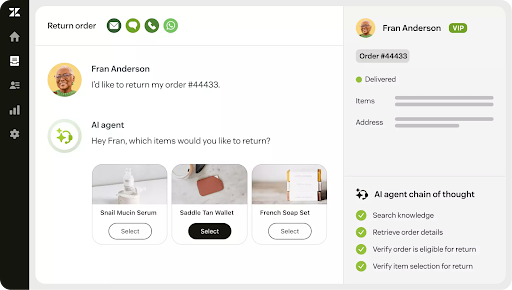
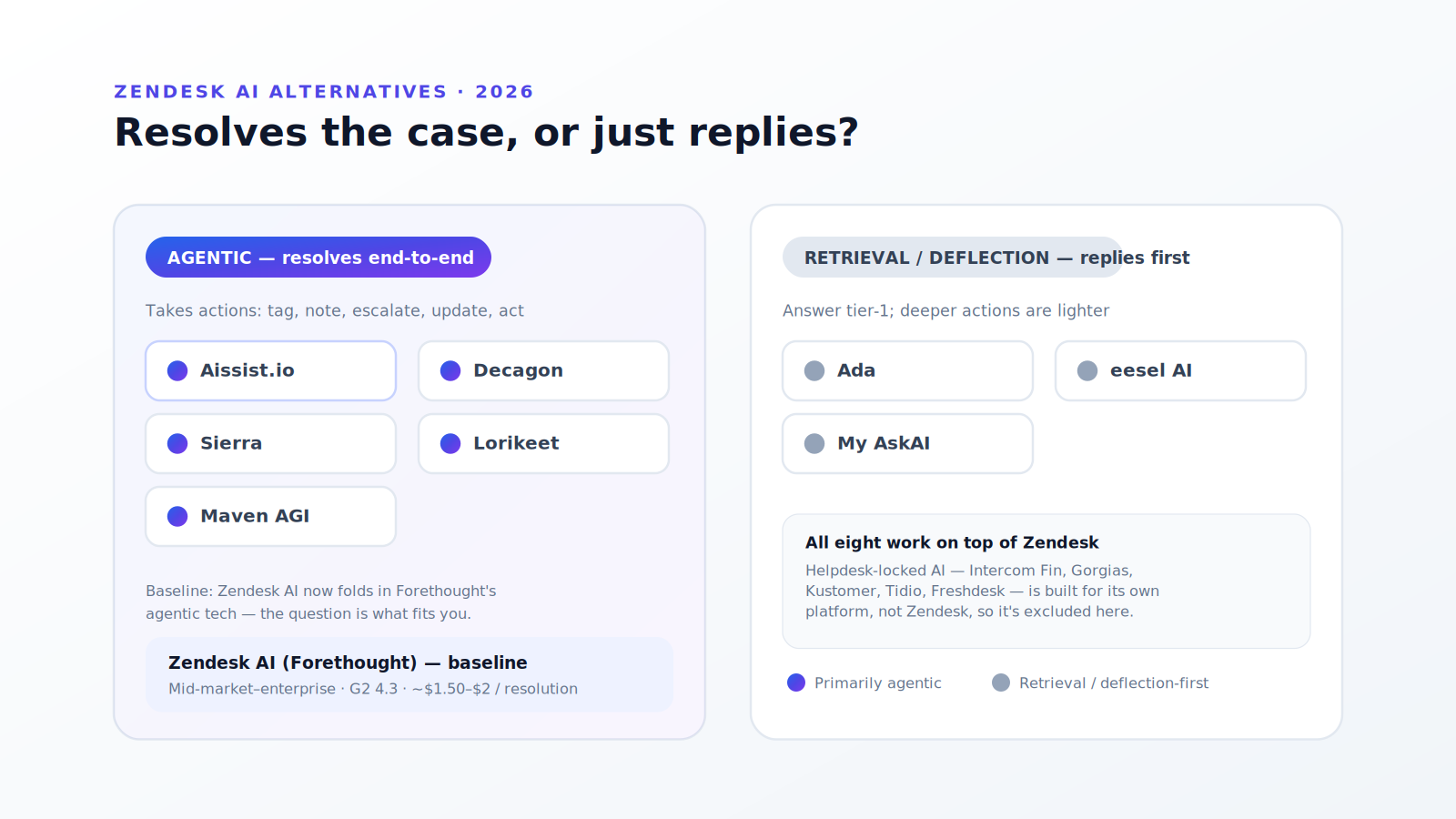
The final step is adding agentic capabilities. At this level, AI goes beyond assistance and begins taking action across systems linked to Zendesk.
Examples include:
- updating CRM records
- checking order databases
- triggering refunds
- escalating cases automatically
- completing parts of a customer workflow without human intervention
This is where AI moves from automation into execution. Zendesk still tracks and governs the case, but AI begins helping complete the underlying work required for resolution.
Common Pitfalls
Teams often run into the same avoidable mistakes when adding AI to Zendesk.
- Replacing Zendesk instead of enhancing it. This creates unnecessary migration work and operational disruption.
- Automating too much too quickly. Over-automation can reduce quality and create poor customer experiences.
- Ignoring integration quality. AI needs clean access to the right systems and data to be useful.
- Skipping escalation design. AI should know when to hand off, not operate without boundaries.
Does Adding a Third-Party AI Layer Burn Zendesk Action Credits?
Short answer: No — not if the AI layer connects over the Zendesk REST API rather than running as a step inside Zendesk's action builder.
Action credits meter action-flow step executions. Traffic from an outside application is bounded by Zendesk's REST API rate limits instead — 200 requests per minute on Team, 400 on Growth and Professional, 700 on Enterprise, 2,500 on Enterprise Plus, per Zendesk's developer documentation (read 9 September 2026). Rate limits throttle throughput; they do not generate a charge.
The exception is worth knowing before you architect around it: a custom action you build inside a Zendesk action flow that calls an external vendor does consume one credit per execution, whichever vendor is on the other end. Since September 2026 that meter applies only to third-party connectors and custom actions — Zendesk's own actions are unlimited (September 2026 release notes, read 9 September 2026).
This is the augmentation-versus-replacement question in miniature, and we work it through in Zendesk action credits explained.
Final Takeaway
You do not need to replace your stack to add AI to Zendesk. The stronger approach is to layer AI into the system you already use, starting with ticket understanding, then workflow automation, and finally more advanced execution.
When done well, Zendesk becomes more powerful, not more complicated. AI improves the speed and quality of support while preserving the workflows and tools your team already depends on.
FAQs
Can I really add AI to Zendesk without replacing it?
Yes. AI can be added as a layer on top of Zendesk to improve ticket handling, automation, and resolution without requiring a migration.
Will AI disrupt my current Zendesk workflows?
No, not if it is integrated properly. AI should work alongside Zendesk and enhance routing, tagging, summarization, and responses while preserving existing workflows.
What does AI integration with Zendesk actually do?
It can help with ticket classification, response drafting, workflow automation, and, in more advanced setups, resolution actions across connected systems.
Do I need technical expertise to integrate AI with Zendesk?
Basic integrations can be relatively simple, but more advanced workflow and API-based setups may need technical support.
Is AI safe to use with customer support data?
Yes, if it is configured with the right access controls, security settings, and governance rules.