Compiled by Nadia Yun. Published November 17, 2026 · Prices and pages checked November 17, 2026.
The best customer satisfaction survey tools all compare well on question types, channels and price. They split on the question support leaders now get asked: what is CSAT on the tickets AI resolved, and what is it on the ones people handled?
TL;DR: Most CSAT tools can't show you CSAT for AI-handled and human-handled tickets separately. That matters, because Level AI's analysis of 9.4M conversations found surveys overstate satisfaction by 0.63 points. Pick for segmentation and response-rate reporting first.
Methodology & sources
- Shortlist: three support-focused specialists (Simplesat, Zonka Feedback, SurveySparrow) and the two largest general survey platforms (Typeform, SurveyMonkey). Level AI is excluded: it sells AI agents and is being acquired by Five9.
- Prices, free tiers, integrations and reporting features come from each vendor's own pricing, feature, help-center and Zendesk Marketplace pages. Pricing checked 17 Nov 2026. "Not documented" means we couldn't find the feature on the pages we read. It doesn't prove the feature is missing.
- Survey-bias figures come from Level AI's July 2026 Conversation Lab study.
- Disclosure: this is Aissist's blog. Aissist sells an AI agent layer that resolves tickets. We don't sell survey tools, and none of the vendors below paid to be listed.
The shortlist
- Simplesat: best for Zendesk teams that need CSAT split by ticket field
- Zonka Feedback: best for surveys inside every agent reply
- SurveySparrow: best for configurable response-rate math
- Typeform: best for survey design, if a person routes the feedback
- SurveyMonkey: best for teams already licensed for company-wide surveys
What is a CSAT survey tool?
A CSAT survey tool asks customers to rate an interaction, usually on a 1–5 scale, and reports the share of satisfied responses.
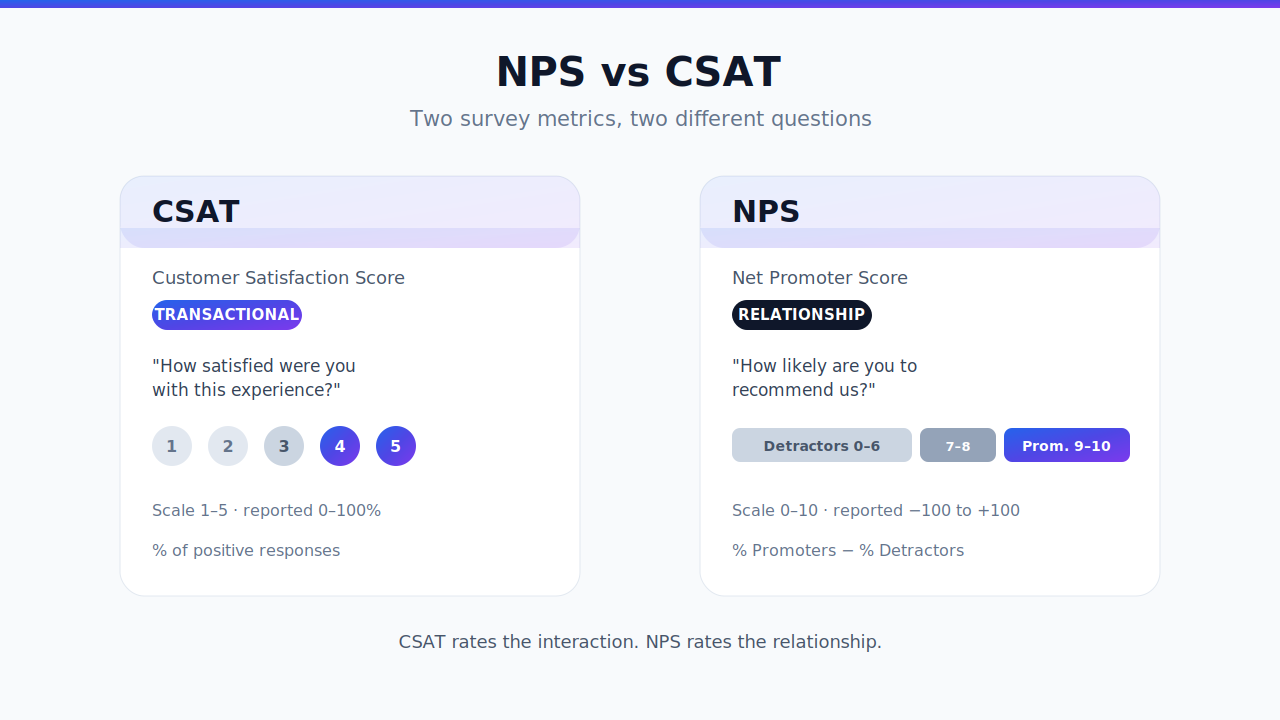
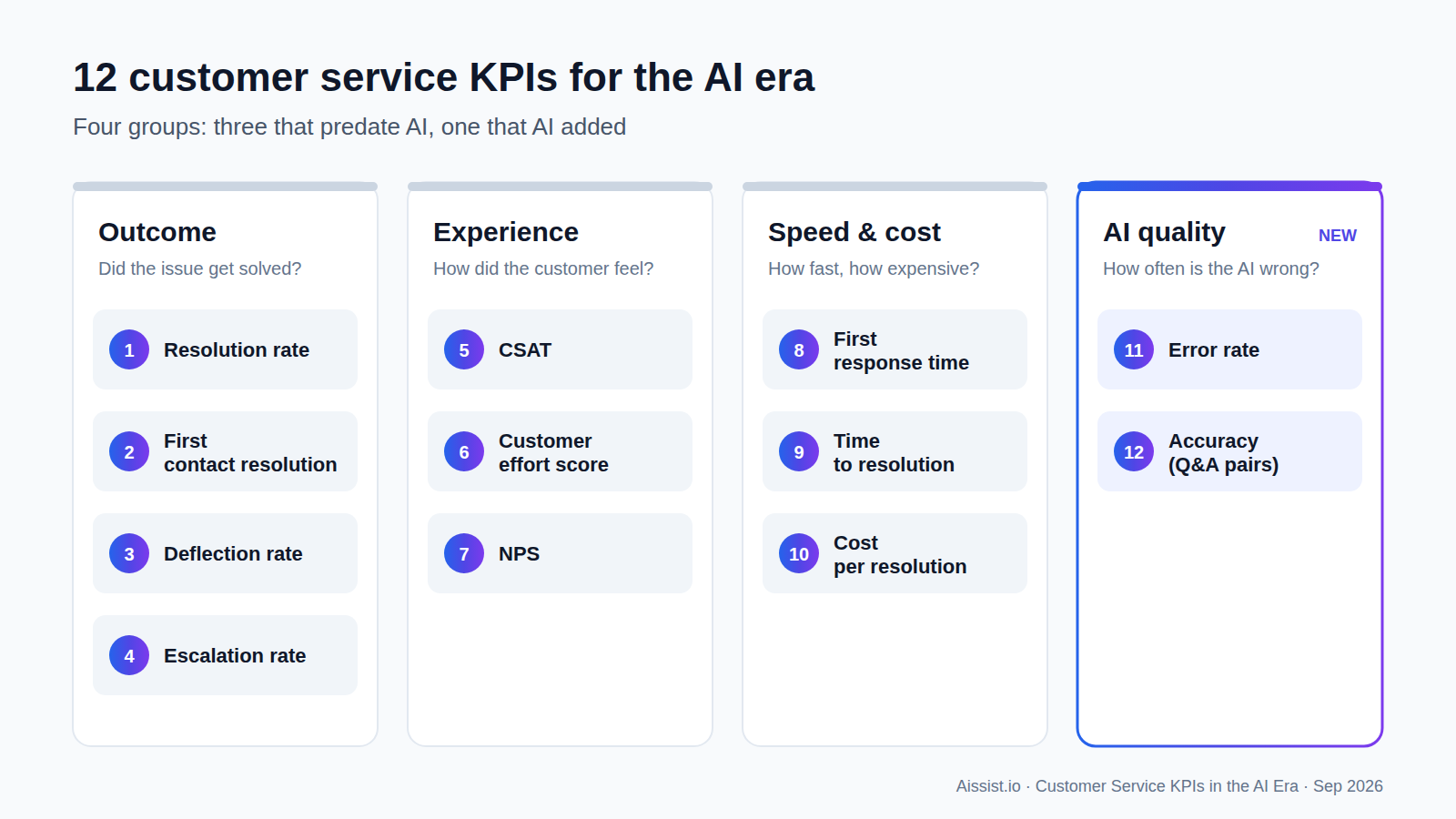
For support teams, the tool usually connects to a helpdesk. It sends the survey when a ticket is solved, or puts the survey inside the reply, then writes the score back to the ticket. The helpdesk connection is what sets a support CSAT tool apart from a general form builder. A tool that can read the ticket can also read who resolved it, and that is the one detail this comparison checks closely. If you're still choosing between metrics, start with NPS vs CSAT. If you're building the full scorecard, see customer service KPIs.
How do the best CSAT tools compare?
The comparison comes down to two columns: whether a tool can split CSAT for AI-handled and human-handled tickets, and whether it reports response rates. Simplesat documents both.
| Tool | Size | Survey types | In-ticket or post-ticket? | Split AI-handled vs human-handled? | Response-rate reporting | Published entry price (17 Nov 2026) | Free tier |
|---|---|---|---|---|---|---|---|
| Simplesat | Specialist | CSAT, CES, NPS, 5-star | Both: inside Zendesk emails and messaging | Yes: filter by any synced ticket field | Yes | Starter $119–$149/mo (300 responses) | 14-day trial |
| Zonka Feedback | Specialist | CSAT, CES, NPS | Both: in reply signatures and after a ticket is solved | Partial: trigger conditions | Yes | Custom quote | 14-day trial |
| SurveySparrow | Mid-size | CSAT, NPS, CES, forms | Zendesk on Business plan | Not documented | Yes, configurable | Not shown on page | Free plan |
| Typeform | Large | Forms, CSAT | Link or embed | No: Zendesk integration creates tickets from responses | Not documented | Basic $28/mo yearly, $39 monthly | Free (10 responses/mo) |
| SurveyMonkey | Large | All survey types | Post-ticket: link in Zendesk's solved notification | Not documented: answers sync to user fields, not tickets | Not documented | Team Advantage $30/user/mo (3-user minimum) | Free Basic plan |
Typeform's pricing page showed two different price sets when we read it; we give the first.
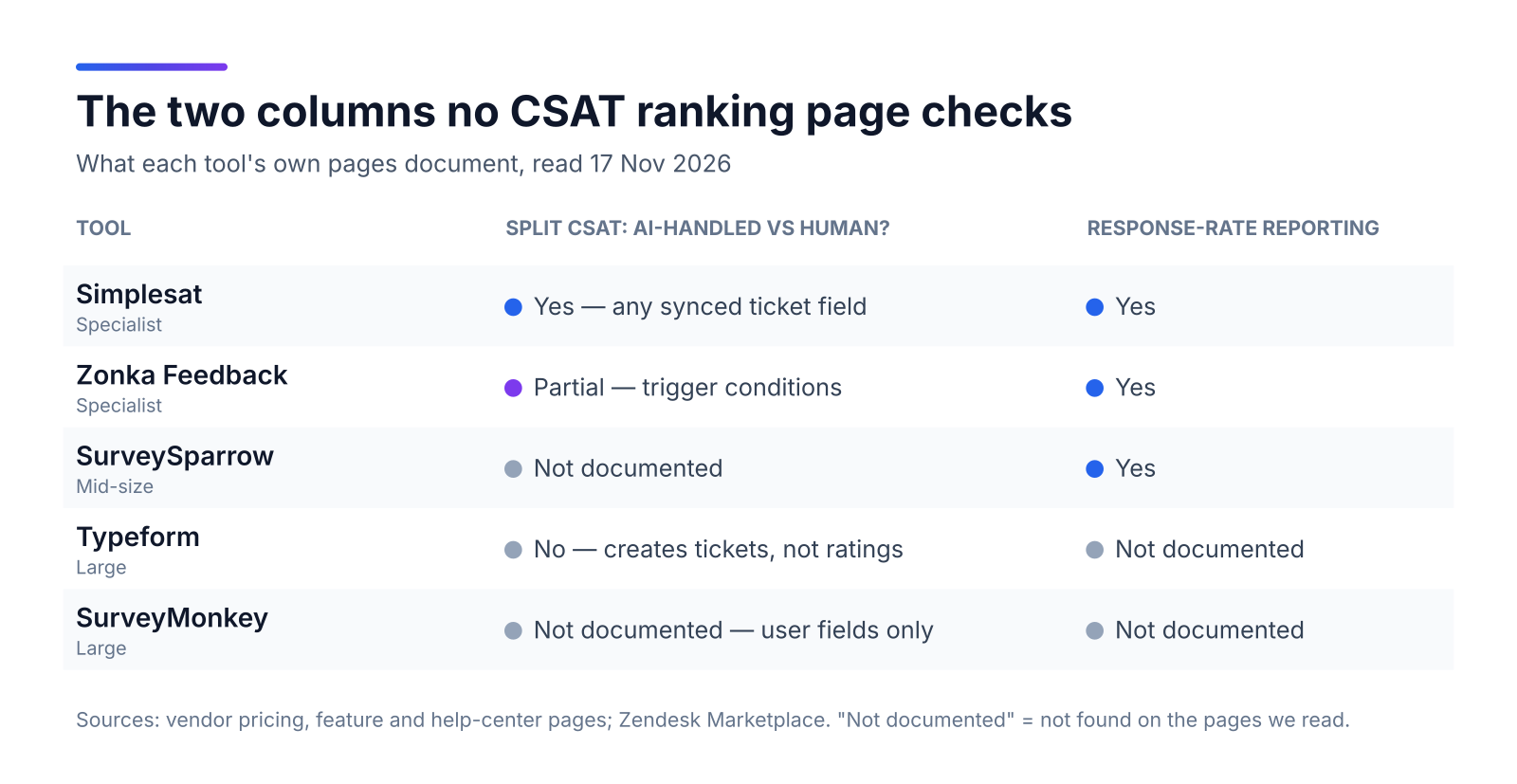
Only one column in this table measures the AI layer, and three of the five rows leave it blank or say no. Every other ranking page leaves that column out.
Which CSAT tool fits which support team?
Helpdesk-first teams should start with Simplesat or Zonka Feedback. Teams that already pay for Typeform or SurveyMonkey can make them work, but they'll have to build the link to the ticket themselves.
1. Simplesat (specialist). Simplesat is a helpdesk CSAT tool that puts one-click surveys inside Zendesk solved-ticket emails. It syncs ticket details including custom fields, and its reporting page says you can filter by "any custom attribute synced from your helpdesk." Its engagement widget shows delivered, opened, responded and response rate side by side. Pro: an ai_resolved ticket field becomes a CSAT segment. Con: every tier is capped by response volume. Skip it if you don't run a helpdesk.
2. Zonka Feedback (specialist). Zonka Feedback puts CSAT, CES or NPS questions in every email signature and Zendesk trigger and tracks open and response rates. Pro: one vendor covers Zendesk, Intercom, Freshdesk, Help Scout and Front. Con: there's no public price, so budgeting starts with a sales call.
3. SurveySparrow (mid-size). SurveySparrow lets admins choose how the response rate is calculated, including a delivery-based option that counts reminders. Pro: a forever-free plan for testing. Con: Zendesk is only available on the Business plan, and segmenting by ticket field isn't documented.
4. Typeform (large). Typeform's native Zendesk integration is available on every plan, but it works in the other direction: it turns form responses into new tickets and maps only the subject and description. Pro: it makes the best-looking surveys of the five. Con: nothing ties a rating back to the ticket that earned it. Pick it for product research, not ticket CSAT.
5. SurveyMonkey (large). SurveyMonkey sends a survey link when a Zendesk ticket is marked Solved, and admins can save answers to custom fields on Zendesk contacts. Pro: many companies already license it. Con: answers are saved on the customer's profile, not on the ticket, and Zendesk keeps only the latest answer for customers who respond more than once. Splitting CSAT by who resolved the ticket becomes a manual job.
Do CSAT surveys overstate satisfaction?
Yes, and the gap is largest where service was worst. Across 9.4 million conversations in the first half of 2026, Level AI found an average survey CSAT of 4.36. Its inferred score, which rates every conversation, averaged 3.73. Customers completed surveys on only 4.2% of contacts.
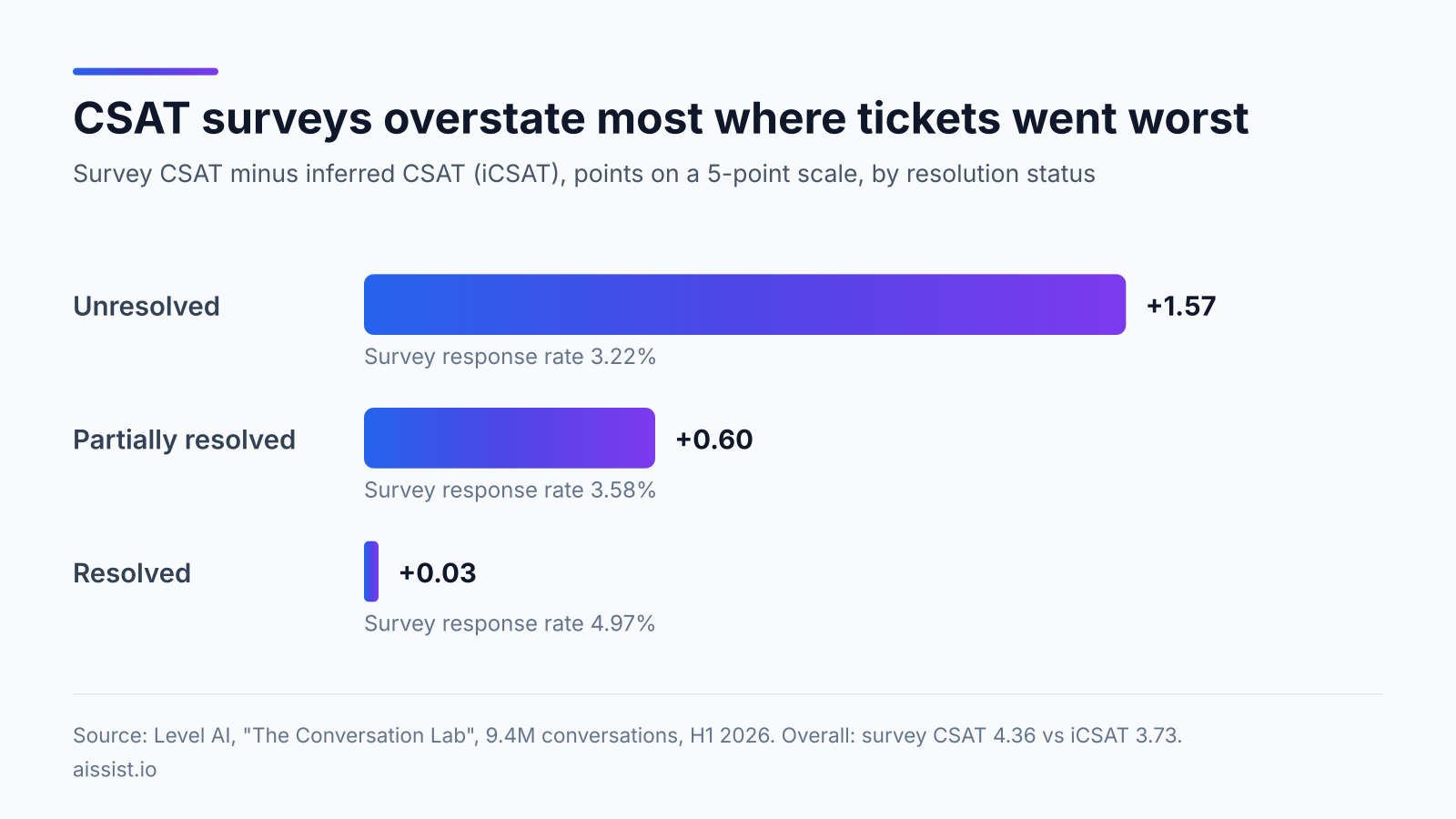
On resolved tickets the survey was almost exactly right, overstating by just 0.03 points. On unresolved tickets it overstated by 1.57 points. The customers the survey misses are the ones whose problems weren't fixed.
"Survey CSAT is a signal about the customers who answered." — Mythreya Lingala, Level AI, The Conversation Lab
The source deserves context. Level AI sells conversation intelligence that scores every interaction, so this finding supports its own product. On 5 November, Five9 agreed to buy Level AI for about $325 million.
"Accelerate our roadmap by about 12 months." — Amit Mathradas, CEO, Five9, via CMSWire
The data still holds up, though, and you don't need inferred scoring to act on it. Fixing how the survey is set up gets you most of the way. The thermometer isn't broken. It's being read in the wrong room.
What should a support leader measure once AI handles tier one?
Report CSAT for three groups: tickets AI resolved on its own, tickets AI handed to a person, and tickets only people handled. Show each group's response rate next to its score. A single blended number goes up when AI takes the easy tickets, even if satisfaction on every individual ticket stays the same. A customer may also like the speed:
"61% preferred to opt for the faster responses of AI." — Pierre-Camille Hamana, CEO and Founder, Hospitable, via Intercom
Three survey-design fixes deal with Level AI's bias without a new tool:
- Survey unresolved tickets too. Zendesk's default survey goes out 24 hours after a ticket closes, so abandoned and escalated conversations never get a survey. Add a trigger for tickets that end in a handoff or go quiet.
- Weight by response rate. If one group answers at 3% and another at 5%, the two averages can't be compared directly. Report scores with their response rates and the gap becomes visible.
- Time the survey after the result, not after the reply. A refund promised today and processed in five days gets a happy rating today. Kommunicate notes that this kind of damage rarely shows up in a survey sent right after the conversation. Send the survey when the outcome event happens.
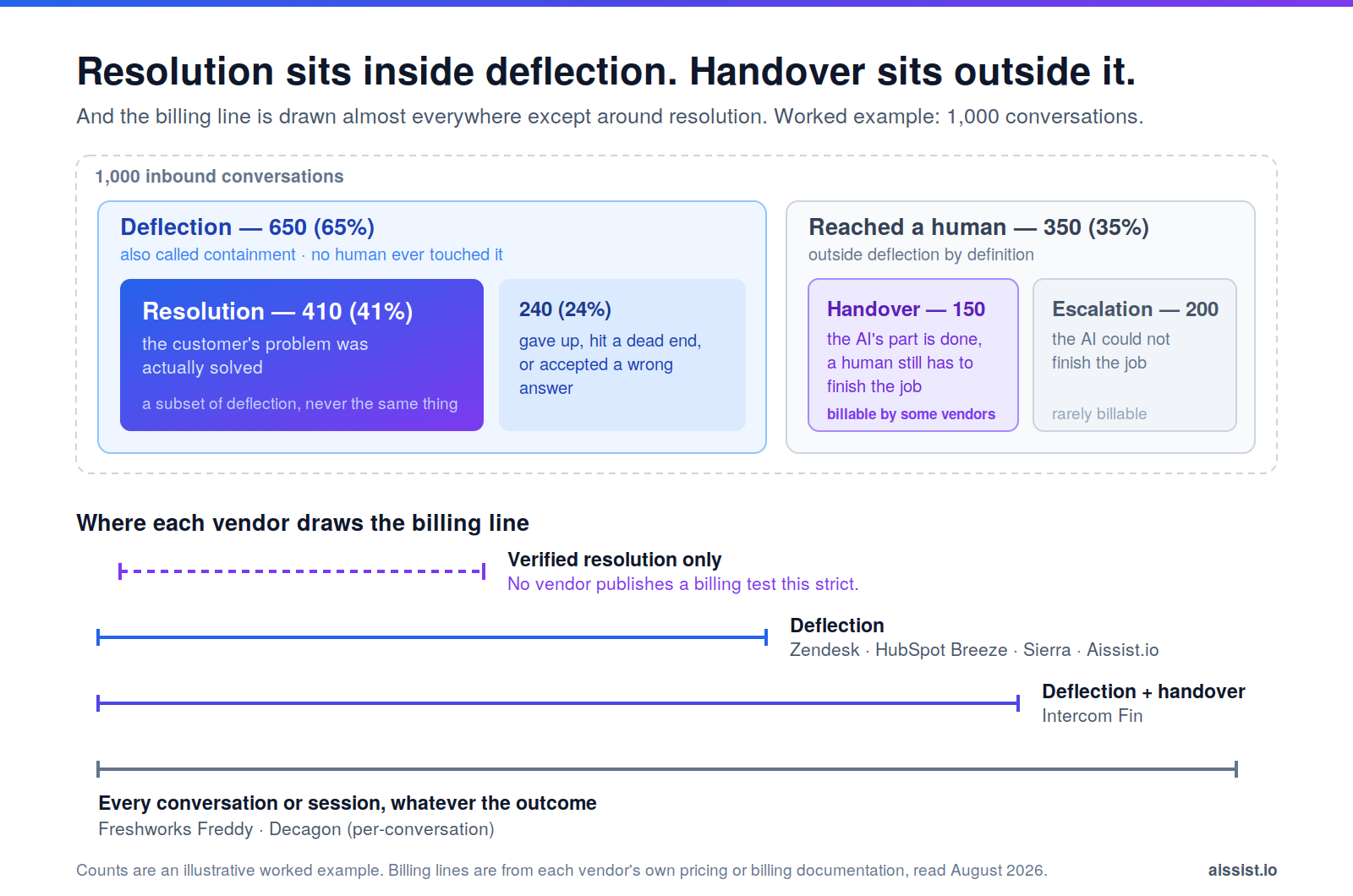
On Aissist-handled conversations, customers rate Aissist 4.8/5.0 CSAT. That number only means something if it sits next to your human-handled CSAT, with response rates for both. Pulse Deep Insight reports it that way. The resolution–CSAT trade-off explains why the two metrics move together, and deflection vs resolution rate explains why "AI-handled" has to mean resolved.
Pick the CSAT tool that can tell you who resolved the ticket
Question types and themes look the same across these five tools. The difference is whether a tool reads ticket fields and reports response rates. Without both, a rising CSAT could mean AI is working, or it could mean the unhappy customers stopped answering. Simplesat documents both. Zonka Feedback and SurveySparrow document response rates. Whichever tool you pick, add an AI-resolved field to your tickets before you add more survey questions.
Score AI and human tickets on the same page. Aissist resolves tier-one tickets inside your helpdesk, so AI-resolved tickets can carry their own tag and your CSAT tool can split the number. See Pulse Deep Insight →
Frequently asked questions
What is the best CSAT software for Zendesk?
Simplesat and Zonka Feedback both send surveys from Zendesk tickets and write ratings back. Simplesat also documents filtering CSAT by any synced custom ticket field.
How do I measure CSAT for AI-handled tickets separately?
Tag every ticket as AI-resolved, AI-to-human handoff or human-only, then sync that field to a survey tool that can filter by ticket fields. Report each group with its response rate.
What is a good CSAT survey response rate?
There's no universal benchmark. Level AI saw survey completion on 4.2% of contacts in its 2026 study. What matters more is comparing response rates across groups, because unequal rates skew comparisons.
Are free CSAT survey tools good enough for support teams?
Free tiers are fine for testing. Typeform's free plan caps responses at 10 a month. That's too few to split CSAT into AI and human groups with any confidence.
Should CSAT be sent only after a ticket is solved?
No. Surveys sent only after a solve miss the abandoned and escalated conversations where satisfaction is lowest. Add triggers for handoffs and for outcomes like refunds.
Changelog
- Nov 17, 2026: First published. Prices, free tiers and integration pages verified against vendor sites.