Compiled by Rob Jiang. Published November 2, 2026 · Last updated November 17, 2026 · Pricing checked November 2, 2026.
The best Zendesk apps for SMB and mid-market support teams, compared on what a security-reviewing admin asks first: what it can touch, which plan it needs, what it costs.
TL;DR: The listed price is rarely the real price: three of these seven Zendesk apps need a vendor plan upgrade or a Zendesk seat type before they work, and none of the six apps we don't make publishes the OAuth scopes it requests. Ours, Aissist.io, asks for Zendesk's read and write scopes.
- Best for CSAT surveys: Nicereply
- Best for an AI agent that resolves tickets inside Zendesk (our product): Aissist.io
- Best for help center and ticket housekeeping: Swifteq
- Best for internal knowledge in every tab: Guru
- Best for a fast, Zendesk-first phone setup: Aircall
- Best for "where is my order" tickets: AfterShip Tracking
- Best for Shopify-era returns and exchanges: Loop Returns
How we compared these apps
- Ground: each app's Zendesk Marketplace listing, install docs, pricing and security pages, plus G2, all read 2 Nov 2026; Aissist.io from our own product, pricing and security pages and Zendesk connector, 17 Nov 2026.
- Criteria: data access requested at install, sidebar app vs server-side integration, Zendesk plan or seat required, vendor plan required, published price.
- Exclusions: we left out other AI support agents, because that is what we sell; our own, Aissist.io, is listed at #2 and marked as ours. That removes eesel AI and My AskAI (both rank for this keyword), Assembled (now sells Assembled Assist), and Ultimate, which Zendesk announced it would acquire in March 2024. Klaus is listed under its current name, Zendesk QA, as a Zendesk-owned add-on.
- Disclosure: this is Aissist's blog, and Aissist.io (#2) is our product: AI customer service agents that run on Zendesk. None of the other six listed vendors is a competitor.
What do the best Zendesk apps ask for at install?
Every other app below needs a Zendesk admin to install it, and none of those six publishes the OAuth scopes it requests. What they do document is the credential: three use a vendor API key or a Zendesk token, Aircall runs an "Authorize" flow that logs calls into tickets, and Loop signs in with OAuth. Aissist.io, ours, signs in with Zendesk OAuth and requests the read and write scopes.
| App | Owner | Data access requested at install | Sidebar or API | Zendesk plan / seat required | Published price (2 Nov 2026) |
|---|---|---|---|---|---|
| Nicereply | Third-party | Nicereply API key in the widget; Zendesk account-owner email; surveys run through your triggers | Both | Any plan | $59/mo annual (100 responses) |
| Aissist.io | Third-party (our product) | "Sign in with Zendesk" OAuth, read and write scopes; optional second sign-in for Zendesk messaging | API (server-side) | Not stated | $0.20–$0.60 per resolution by channel; 1,000 tickets/mo free |
| Swifteq | Third-party | Separate Swifteq account connected to Zendesk; scopes not documented | Both | Not stated | From €59/mo (Merge) or €69/mo (Help Center Manager) |
| Guru | Third-party | Zendesk API token or admin login; syncs tickets, users and attachments | API + browser extension | Not stated | Quote only |
| Aircall | Third-party | Authorize flow; logs recordings and transcripts | Both | Talk Partner Edition seat per agent | $30/license/mo annual, 3 minimum |
| AfterShip Tracking | Third-party | AfterShip API key (scope approval form); reads shipments by requester email, read-only | Sidebar | Not stated | Not verified this run |
| Loop Returns | Third-party | OAuth "Sign in with Loop Returns"; shows return history | Sidebar | Not stated | From $340/mo |
| Zendesk QA | Zendesk | Native, no third-party vendor | Native | Add-on on all plans | From $45/agent/mo (Zendesk) |
| Zendesk WFM | Zendesk | Native, no third-party vendor | Native | Add-on | $25/agent/mo (Zendesk) |
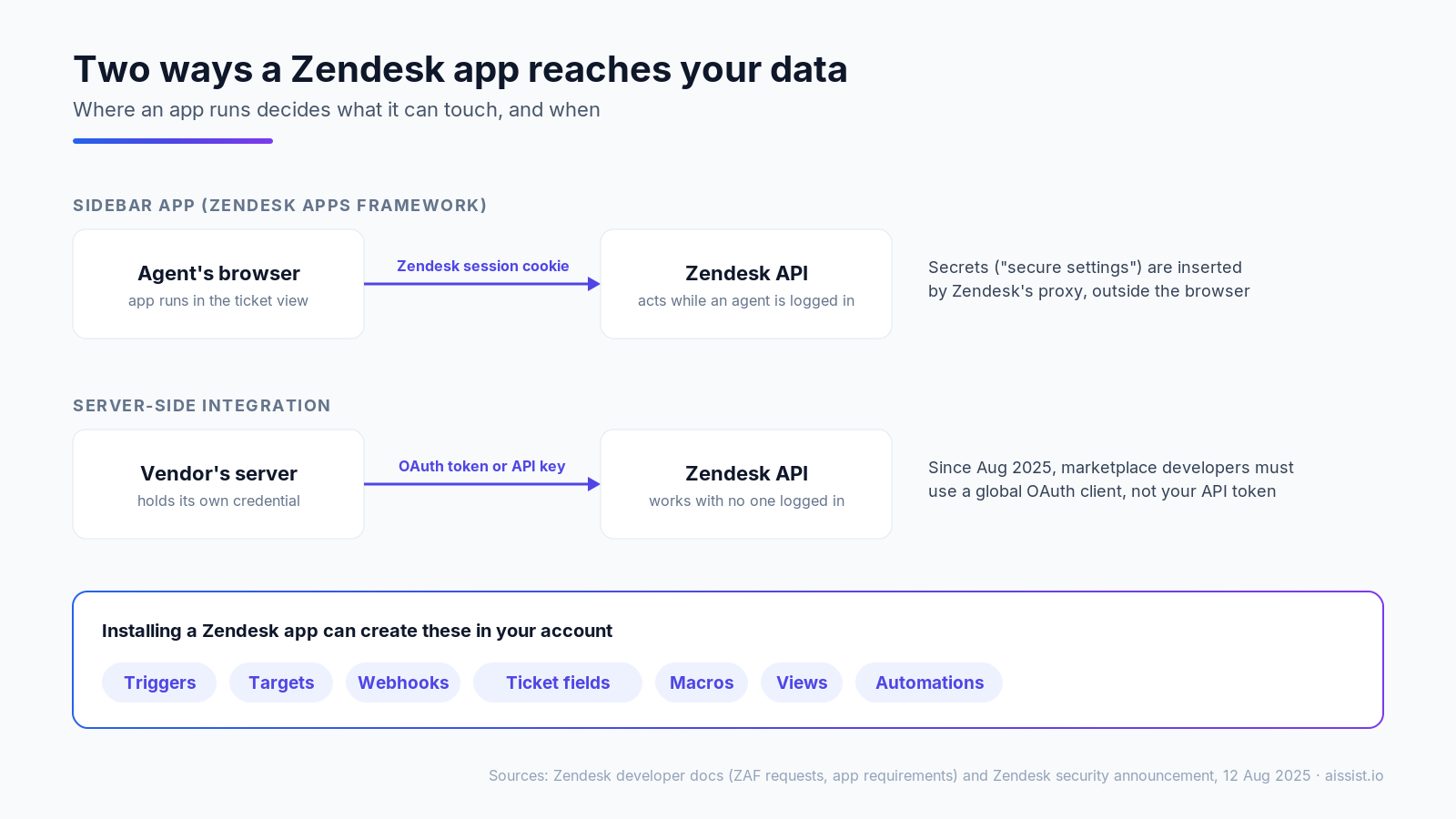
Where the app runs matters most. A sidebar app's API calls come from the agent's browser, authenticated with the Zendesk session cookie, per Zendesk's developer docs. Server-side integrations hold their own credential and work when nobody is logged in.
Installs can also change your account: Zendesk's app requirements docs let an app create triggers, targets, webhooks, ticket fields, macros and views at install. The permission prompt is a click; the triggers it leaves behind are your problem.
Which Zendesk plan do these apps really need?
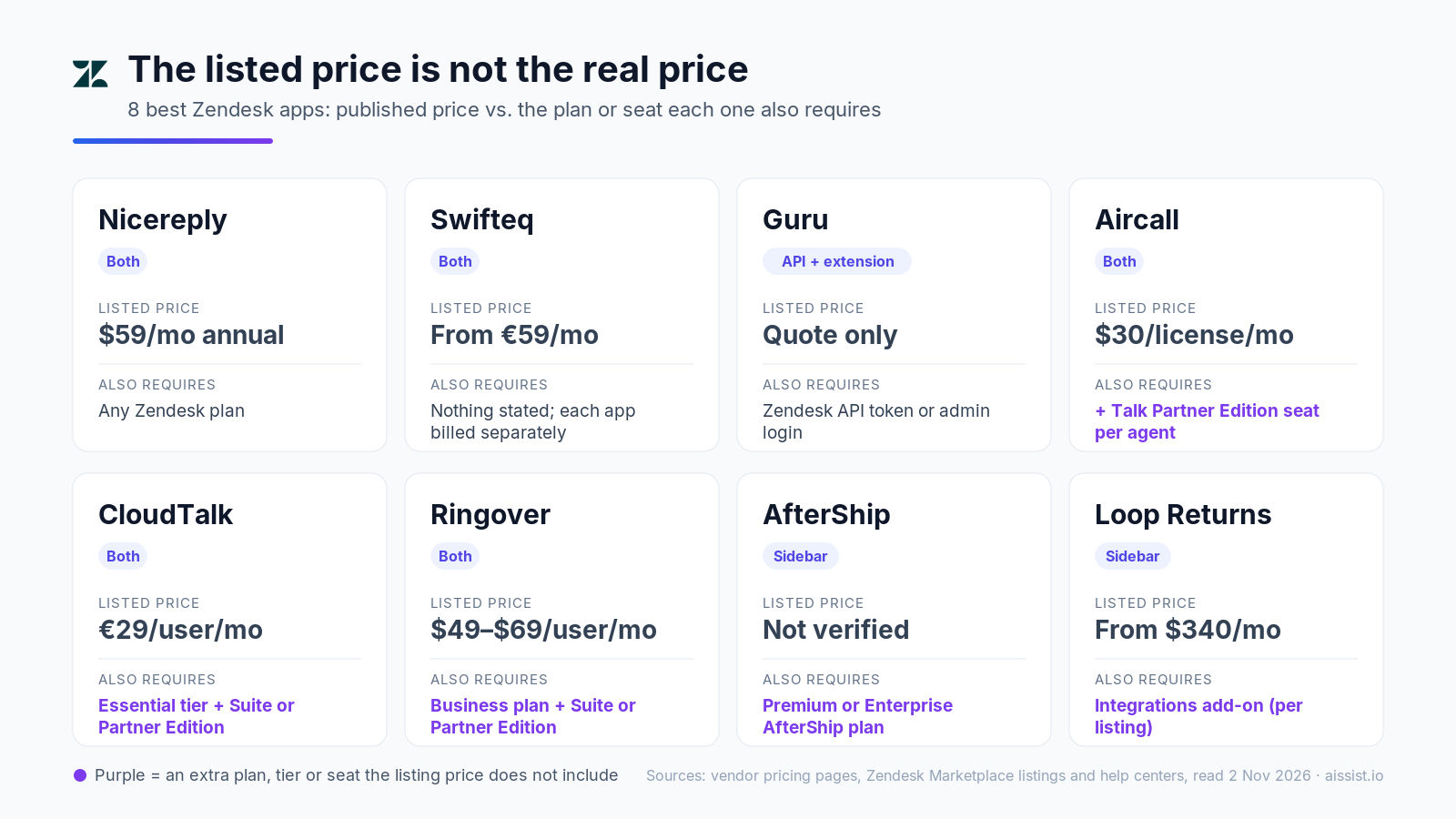
Public marketplace apps install on every current Zendesk plan, but the phone app leans on Talk Partner Edition, and two vendors gate their Zendesk integration behind a paid tier of their own. Zendesk's help center confirms public apps work on all plans, while private apps need Suite Growth or above.
The phone gate is the expensive surprise. Aircall's setup guide asks for a Partner Edition seat for each agent. Zendesk's Talk plan page lists Partner Edition as "Contact Zendesk," with no published price.
| A 10-agent team adds a phone app | Listed app cost | What else it needs |
|---|---|---|
| On Support Team ($19/agent/mo annual, per Zendesk pricing) | Aircall Essentials: $300/mo | Talk Partner Edition seats: quote only |
Vendor gates are easier to miss. AfterShip's help center lists the Zendesk app under Premium and Enterprise, and Loop's listing asks for an Integrations add-on that its help center says every plan includes. Two pages, two answers: ask before you sign.
The seven Zendesk apps, reviewed
1. Nicereply — best for CSAT surveys
Nicereply is a customer-satisfaction survey tool that sends CSAT, NPS and CES surveys through Zendesk triggers and shows scores in a ticket sidebar widget.
Key facts: works on every Zendesk plan, per its FAQ; Starter $59/mo billed annually ($79 monthly) for 100 responses and 3 users, every tier including Zendesk (pricing); G2 4.5 (431 reviews).
- Pro: flat tiers, not per-agent pricing.
- Con: priced by response volume, so busy teams climb tiers.
Our take: the simplest install here. Skip it if Zendesk's built-in CSAT is enough.
2. Aissist.io — best for an AI agent that resolves tickets inside Zendesk
Aissist.io is our product: an AI agent that works inside Zendesk, replying to, tagging, summarizing and escalating tickets and writing back ticket fields, instead of replacing the help desk.
Key facts: connects through "Sign in with Zendesk" OAuth with Zendesk's read and write scopes and runs server-side, not in the sidebar; Zendesk messaging is an optional second sign-in on the same connection; basic setup in about 10 minutes (Zendesk integration); $0.20 (email) to $0.60 (chat) per resolution, escalations not charged, no seat fees, 1,000 tickets a month free (pricing); 83% average resolution and 4.8/5 CSAT, vendor-published; ISO 27001 certified (security).
- Pro: OAuth sign-in, not a pasted token, and it resolves tickets rather than adding context to them.
- Con: it asks for broad read and write access, because it replies to and updates tickets.
Our take: we sell it, so don't take our numbers on trust: run it on your own tickets within the free monthly allowance first.
3. Swifteq — best for help center and ticket housekeeping
Swifteq is a Dublin-based developer of 16 Zendesk apps, led by Help Center Manager and Merge Duplicate Tickets, that clean up articles and duplicate tickets.
Key facts: Merge from €59/mo for up to 15,000 tickets checked (pricing); Help Center Manager from €69/mo for 2,000 article records; SOC 2 Type II with EU-hosted data (security).
- Pro: buy one narrow tool, not a suite.
- Con: each app is billed separately, and translations count as extra records.
"Fantastic and fantastically useful tool, simple to use and with some great features." — Paul Tingle, Global Support Manager, Engine Yard, via Swifteq
Our take: strong for teams with a large help center. Not for teams with forty articles.
4. Guru — best for internal knowledge in every tab
Guru is a knowledge platform that syncs Zendesk Guide articles and tickets as a source and surfaces answers to agents through a browser extension.
Key facts: connects with a Zendesk API token or admin credentials and syncs at the authenticating user's access level (docs); quote-only pricing (pricing); SOC 2 Type II; G2 4.7 (2,344 reviews).
- Pro: one knowledge source across Zendesk, Slack and Chrome.
- Con: the ticket sync pulls a wide set of Zendesk data.
"We integrate Guru with Chrome, Zendesk, and Slack, which are great integrations." — Avelino M., Policy Enforcement Manager, G2 review
Our take: connect it with a dedicated, least-privilege Zendesk user, not an admin's own login.
5. Aircall — best for a fast, Zendesk-first phone setup
Aircall is a cloud phone system whose Zendesk app adds a dialer and logs calls, recordings and transcripts to tickets.
Key facts: Essentials $30 per license/month billed annually, 3-license minimum, Zendesk included on all plans (pricing); Partner Edition seat per agent; SOC 2 Type 2 (security); G2 4.4 (1,685 reviews).
- Pro: Zendesk on the entry plan.
- Con: Partner Edition seats are quote-only.
"We started searching for a provider that seamlessly integrated with Zendesk…" — Guillaume Rieu, Head of Customer Care, SendinBlue via Aircall
Our take: the safest default on Suite. Support-only teams should price Partner Edition first.
6. AfterShip Tracking — best for "where is my order" tickets
AfterShip Tracking is a shipment-tracking platform whose Zendesk sidebar app shows a requester's shipments, matched by email address.
Key facts: read-only — it "does not overwrite or delete any ticket fields" (help center); requires an approved API key scope; listed under Premium and Enterprise; ISO 27001 and SOC 2 Type 2 (trust centre); G2 4.7 (311 reviews).
- Pro: read-only by design.
- Con: the Zendesk app sits on AfterShip's upper tiers.
Our take: the cleanest data story here, but overkill for low order volumes.
7. Loop Returns — best for Shopify-era returns and exchanges
Loop Returns is a returns and exchanges platform whose Zendesk sidebar app shows a customer's return history inside the ticket.
Key facts: OAuth sign-in (help center); returns from $340/month (pricing); SOC 2 (security); G2 4.7 (63 reviews).
- Pro: OAuth, not a pasted key.
- Con: Loop's two pages disagree on the plan required.
Our take: best for brands already on Loop. Not a reason to adopt Loop.
The real price of a Zendesk app is the plan it pulls in
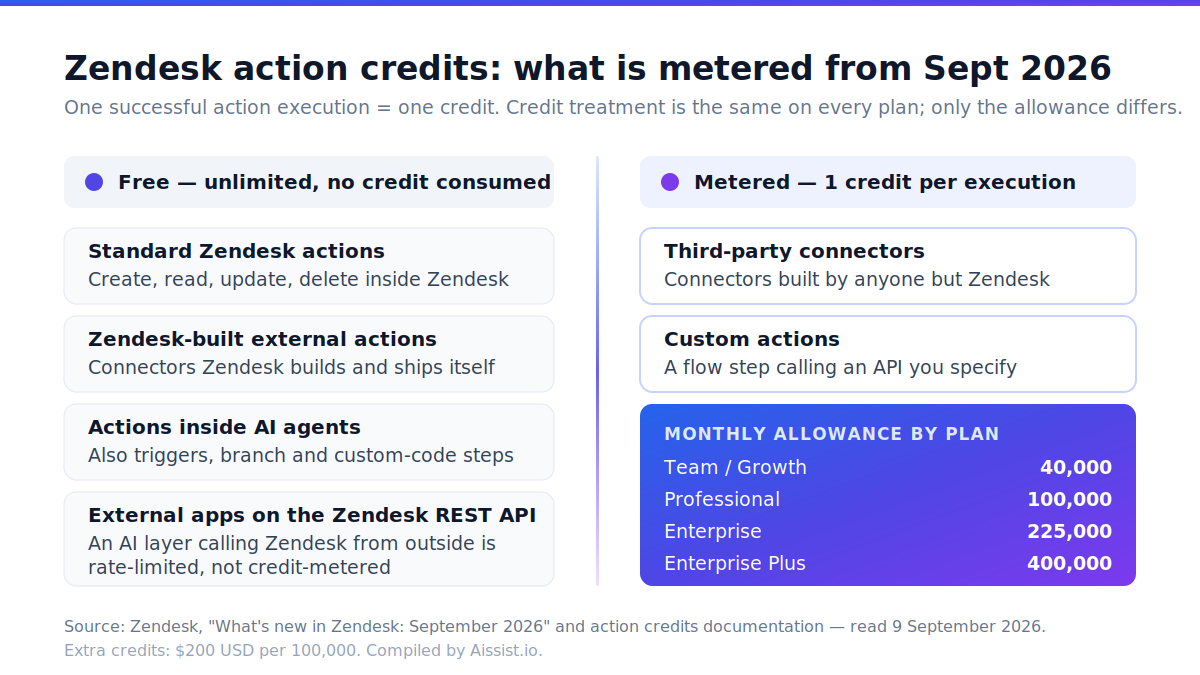
Price an app as listed price plus the plan or seat it requires, and vet it by what it can touch. Ask every vendor for its OAuth scopes in writing, since none of the other six publishes them. If an install asks you to paste a Zendesk API token, ask why: since August 2025, Zendesk requires marketplace developers to authenticate through a global OAuth client, not a customer's token. If AI is next on the list, our action credits explainer shows which Zendesk actions are metered, our help desk automation playbook covers what to automate, and you can see how Aissist runs on Zendesk under our security controls.
Frequently asked questions
Do Zendesk marketplace apps work on every plan?
Public marketplace apps install on all current Zendesk plans. Private apps you build yourself need Suite Growth or above, per Zendesk's help center.
How many apps are on the Zendesk Marketplace?
Zendesk's marketplace page says more than 1,200 apps are available, while its pricing page cites figures of 1,000+ and 1,800+.
What is Zendesk Talk Partner Edition?
Talk Partner Edition is the Zendesk plan that connects third-party phone systems such as Aircall. Zendesk lists its price as "Contact Zendesk."
Are Zendesk sidebar apps safe to install?
A sidebar app's API calls run in the agent's browser session, and installs can create triggers and webhooks. Check what an app creates and ask for its scopes.
Should I switch help desks instead of adding apps?
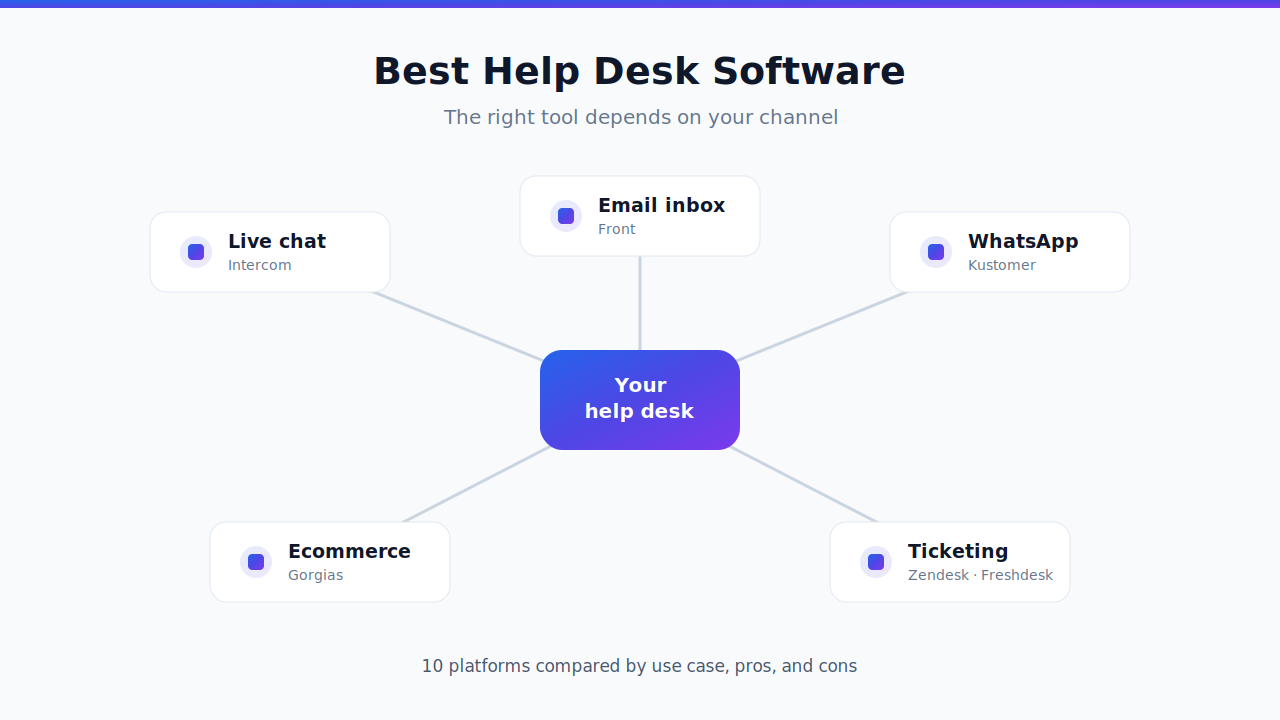
Only if apps keep forcing plan upgrades. Our Zendesk competitors guide and best help desk software roundup compare the alternatives.
Changelog
- 17 Nov 2026 — Trimmed to seven apps: added Aissist.io (our product) at #2; removed CloudTalk and Ringover.
- 2 Nov 2026 — Published. All listings, install docs, prices and G2 ratings read 2 Nov 2026.