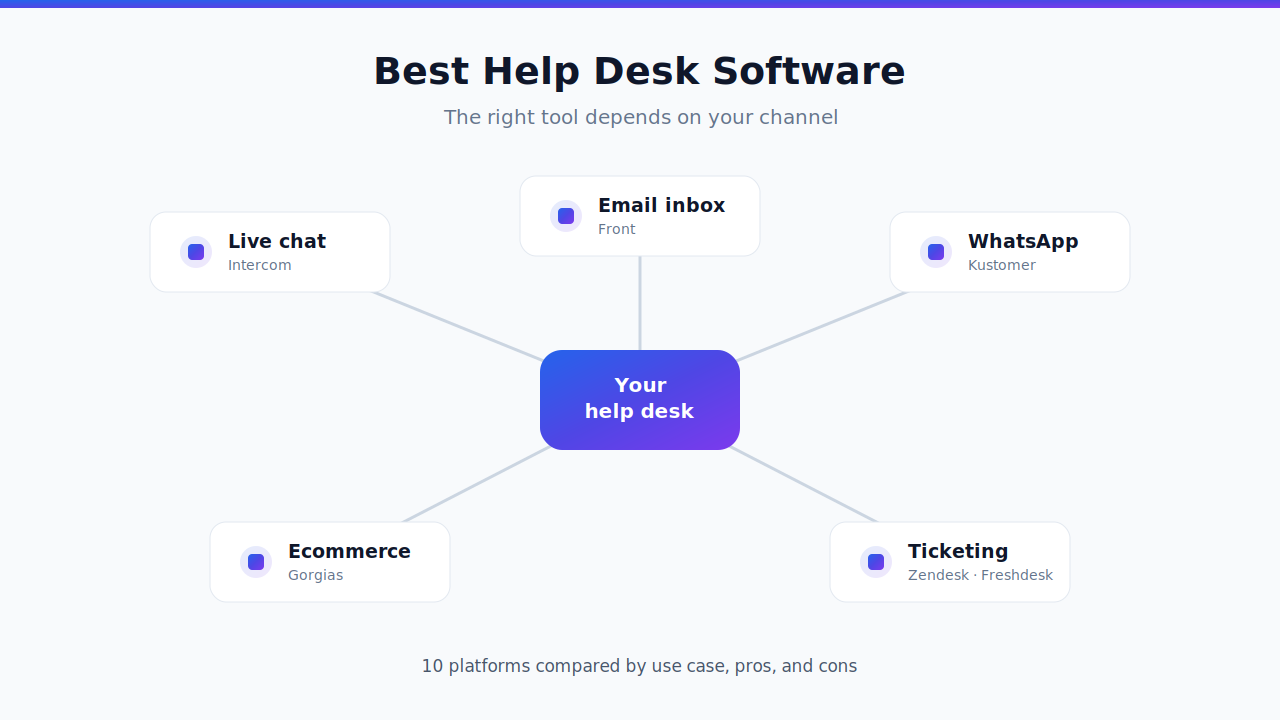
Helpdesk automation works when you treat it as an operations project, not a software purchase. The teams that win in 2026 start from their own domain and requirements, set honest baselines, and pick tools on measurable results — resolution rate, CSAT, conversion, and cost — rather than a demo that looked good. This playbook walks the full path, from scoping your work to making a decision you can defend with data.
The market has matured past the "add a chatbot" era. Real customer service automation now runs on multi-agent, agentic AI that reasons through a case, takes actions in your systems, and escalates cleanly when it should. The upside is real, but so is the risk of buying the wrong thing. Follow the seven steps below in order.
1. Start from your domain and your requirements
Before you look at a single vendor, map what your help desk actually handles. Pull a month of tickets and sort them into buckets: repetitive FAQs (password resets, order status, "where's my refund"), complex procedures that touch several systems (returns that hit billing and inventory, account changes with verification), and the split between support work and revenue work — because a pre-sales question and a churn-risk complaint deserve very different handling.
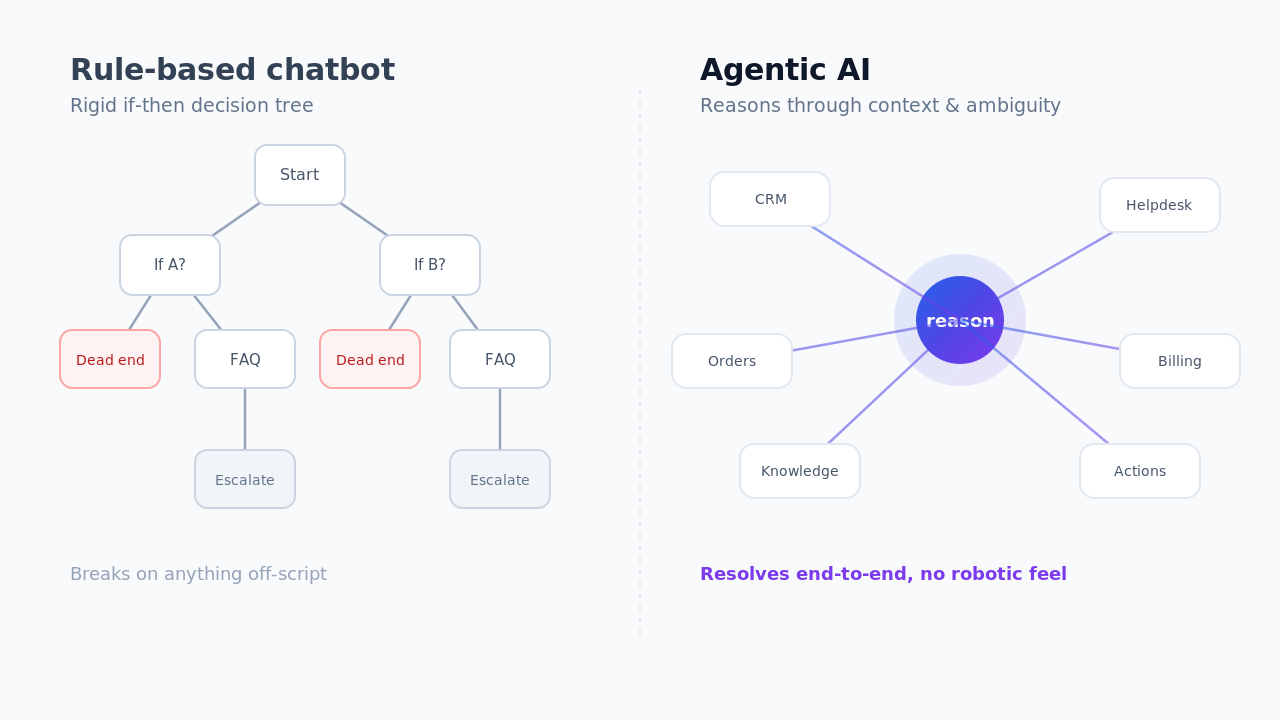
This inventory is your requirements document. FAQs are the easy, high-volume wins that any automated ticketing system should clear. Complex procedures are where legacy chatbots break and where agentic automation earns its keep — they need a tool that can read context, call APIs, and act, not just retrieve an article. And if some of your inbound is really sales, you want automation that can qualify, recommend, and convert, not just deflect. Write down what "done" looks like for each bucket. That definition drives everything after this.
Two channel realities belong in this scope from day one, because they quietly disqualify vendors later. First, voice versus text. Phone and text-based channels (email, chat, messaging, social) are fundamentally different automation problems — voice adds real-time speech, latency, and turn-taking constraints that many text-first tools simply don't handle. Decide how much of your volume is voice versus text now, so you don't shortlist a chat-only tool for a contact center that lives on the phone. Second, multi-media support. Real support tickets arrive with screenshots, photos of a broken device, PDFs, order attachments, and short videos — and not all vendors process these natively. If your customers routinely send images or documents, treat multi-modal handling as a hard requirement, not a nice-to-have, and confirm the tool reads and reasons over attachments rather than dropping them to a human.
2. Decide how you'll measure success — baseline first, then goal
You cannot improve what you haven't measured. For every ticket bucket, record today's numbers before automating anything: resolution rate (issues genuinely solved end-to-end, not just deflected), CSAT, conversion or close rate on sales-oriented conversations, and NPS as your relationship-level signal. These four are your baseline.
Then set a target that's grounded in reality rather than a vendor's headline. A pre-AI baseline is the right reference point: Aissist's research on customers' support data before they deployed Aissist, published in our AI customer service benchmark by industry, shows a roughly 41% median resolution rate for tier-1 automation, with the top quartile near 59% and ecommerce leaders reaching 70–84%. If your baseline resolution is 15% and the benchmark median is 41%, a 40% goal for year one is ambitious but credible; a "90% automation" promise is not.
Set the baseline and the goal in the same units the vendor will be measured on. A tool that "deflects 60% of tickets" but only resolves 25% is losing you customers, not saving you money.
Be precise about the difference between deflection and resolution — the gap can be 20–40 points, and it's the single most common way pilots look successful while CSAT quietly drops.
3. Know your budget — and what a resolution really costs
Budget for help desk automation is not just the license fee. Count implementation effort, integration work, ongoing tuning, and the human time to supervise it. The metric that makes vendors comparable is fully loaded cost per resolution, not cost per seat or per message.
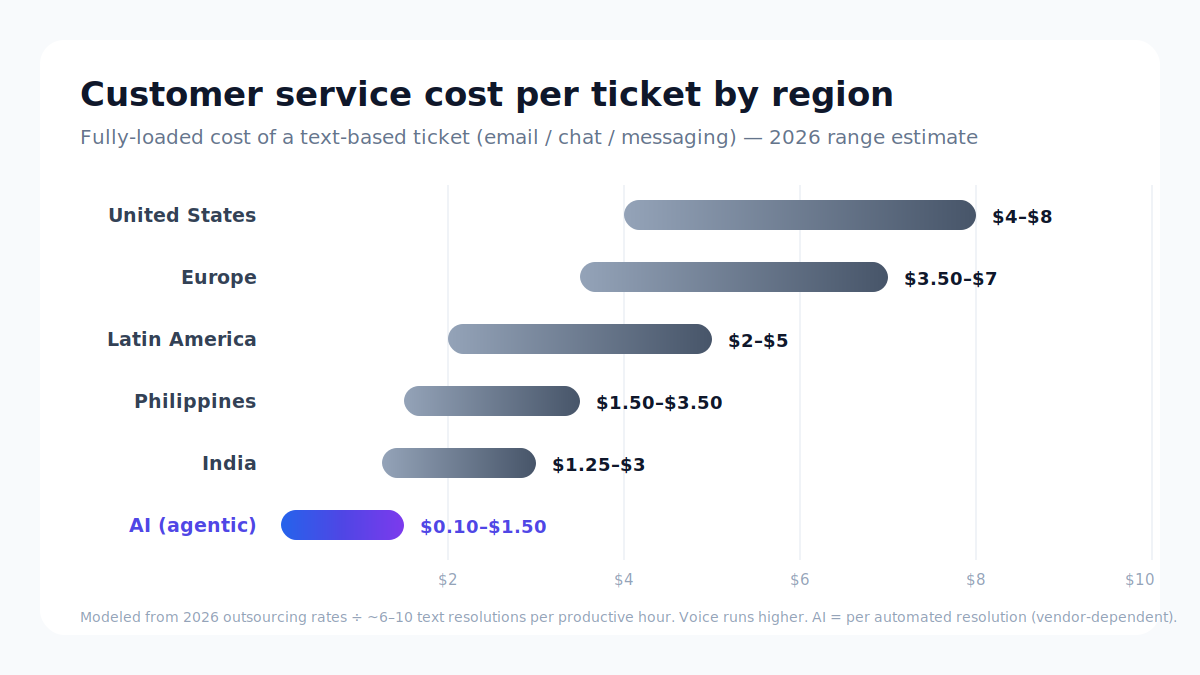
Anchor your numbers against real figures. Our cost benchmark of AI service and the customer service cost per ticket by region breakdown give you a market-grounded baseline for what human handling costs today and what automated resolution should cost. When a strong agentic setup can bring cost per resolution down toward a dollar or two while your human-handled tickets cost many times that, the ROI math gets simple — but only if you're comparing resolutions to resolutions. Decide your ceiling per resolution now, so a slick demo doesn't talk you past it later.
4. Build a short vendor list on fit, capability, performance, and cost
Now shortlist. Evaluate three or four vendors across four dimensions, and score the whole picture — don't fall in love with one pillar.
Fit is how well the tool matches your stack and industry. If you run Zendesk, Intercom, Freshdesk, or Salesforce, the automation layer should sit on top of what you already run and deploy fast, not force a migration. Industry fit matters too — the patterns that work for fintech support differ from eSIM or smart-device support.
Capability is the operational checklist: can it tag and route accurately, add internal notes, escalate to a human with full context, update records and take backend actions, and surface insight from what it sees? An AI help desk that resolves but can't escalate cleanly — or tags but never acts — will frustrate customers and agents alike.
Performance is proof, not promises: resolution rate, CSAT, and reliability on cases like yours, backed by customer stories and reliable, no-hallucination behavior. Cost is the loaded cost-per-resolution from step 3. Score all four; the best contact center automation choice is the one that's balanced, not the one that spikes on a single feature.
5. Trial before you commit — and factor in the lift to start
A demo is theater; a trial is evidence. Run a real pilot on a defined ticket bucket, with your baseline metrics wired up so you can compare like for like.
Notice how much work it takes to even begin. Some vendors are quick to trial — connect your helpdesk and they're resolving live tickets in minutes. Others require weeks of integration, prompt engineering, and professional services before you see a single automated resolution. That startup lift is itself a data point: it predicts how painful ongoing changes will be. If you want to see how fast a low-lift start looks, a live demo or pilot is the honest test, and transparent pricing tells you what production will cost.
6. Measure how easy it is to change and optimize
The best support automation is never "done." Your products change, policies change, and edge cases surface weekly — so how easily you can adjust the system matters as much as its day-one accuracy. During the trial, deliberately change something: add a new procedure, update a policy, reroute an escalation. Time it. Note who has to do it — can an ops lead make the change, or does every tweak require the vendor?
This is where a continuous-improvement layer separates the field. Tools built to surface insight in real time and optimize continuously turn tuning from a ticket-to-the-vendor into a routine operation you control. Low friction here compounds: a system you can adjust in an afternoon will outperform a more accurate one you can barely touch.
7. Make the decision on results
Bring it back to the baseline. Lay the pilot's resolution rate, CSAT, conversion, NPS, and cost per resolution next to the numbers you recorded in step 2, and against your goal. Weigh the startup lift and the change-effort you measured. The winner is the vendor that moved the metrics you set out to move, at a cost per resolution you decided you'd accept, with a change process your team can actually run.
Decide on evidence, not enthusiasm. If two tools are close on outcomes, let ease of change and quality of escalation break the tie — those are the things you'll live with every day.
Key takeaways
Helpdesk automation is won by process, not by picking a brand. Scope your domain and requirements, set honest baselines, budget on cost per resolution, and shortlist vendors on balanced fit, capability, performance, and cost. Trial before committing, measure how easily you can optimize, and make the final call on results against your baseline. Do that, and automation becomes a controlled operations upgrade instead of a gamble.
Ready to benchmark a real pilot? See how fast a low-lift help desk automation start looks on your own tickets. Get a free demo →
Frequently asked questions
What is help desk automation?
Help desk automation uses software — increasingly agentic AI — to handle support and sales conversations end-to-end: understanding the request, tagging and routing it, taking actions in your systems, resolving it, and escalating to a human when needed. Modern help desk automation goes beyond FAQ chatbots to resolve complex, multi-step cases, not just deflect them.
How do you automate a help desk?
Start by inventorying your tickets into FAQs, complex procedures, and support-versus-sales work. Set baseline metrics, then connect an automation layer to your existing helpdesk (Zendesk, Intercom, Freshdesk, and similar). Pilot it on one ticket bucket, measure resolution rate and CSAT against your baseline, tune, and expand. Agentic tools that act in your systems automate far more than retrieval-only bots.
What's the difference between deflection and resolution?
Deflection counts any conversation the customer didn't escalate to a human — including ones they abandoned in frustration. Resolution counts only cases genuinely solved end-to-end. The gap between the two often runs 20–40 points, so a tool with a high deflection rate can still be failing customers. Always evaluate helpdesk automation on resolution, not deflection.
How much does help desk automation cost?
Cost varies by volume and complexity, but the number that matters is fully loaded cost per resolution — license, integration, tuning, and supervision included. Strong agentic automation can push cost per resolution well below human-handled tickets. Compare against market figures in Aissist.io's cost benchmark rather than judging by license price alone.
What should a good automated ticketing system be able to do?
At minimum: understand intent, tag and route accurately, add internal notes, update records and take backend actions, escalate to a human with full context, and surface insight from patterns it sees. A system that resolves but can't escalate cleanly, or tags but never acts, will underperform. Score the full capability set, not one standout feature.
How is contact center automation different from help desk automation?
They overlap heavily. Contact center automation typically spans more channels and higher volumes, including voice, while help desk automation centers on ticket-based support. Both are moving to the same foundation: multi-agent AI that resolves end-to-end. If you evaluate either, the same playbook applies — baseline, budget, trial, and decide on results.
How long does it take to deploy help desk automation?
It ranges from minutes to months. Low-lift tools connect to your existing stack and start resolving live tickets almost immediately; others need weeks of integration and professional services. The startup effort predicts ongoing change effort, so treat time-to-first-resolution as a real evaluation criterion, not a footnote.
How do I measure if help desk automation is working?
Track four metrics against a pre-automation baseline: resolution rate, CSAT, conversion or close rate on sales conversations, and NPS. Add fully loaded cost per resolution. Success is movement toward the goals you set in the units the vendor is measured on — not a vendor's headline deflection number.