The 9 Best Help Desk Software Tools, Matched to Your Use Case
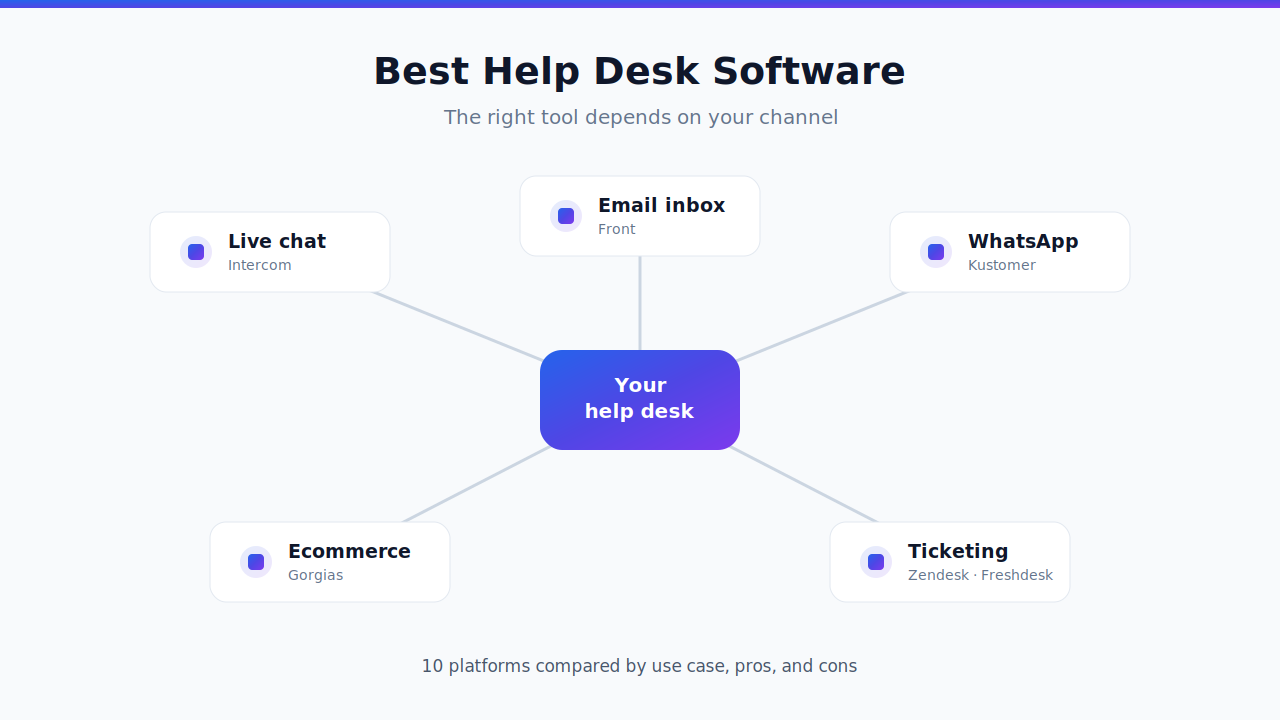
The best help desk software isn't a single winner — it's the tool that fits how your customers actually reach you. Intercom leads on live chat, Front owns shared-inbox email, Kustomer is strong on WhatsApp and social, Gorgias is built for ecommerce, and Zendesk and Freshdesk are the ticketing workhorses. This guide compares 9 top help desk platforms by their best use case, pros, and cons, so you can match the tool to your problem instead of chasing the biggest logo. If you're specifically replacing a tool, our Intercom alternatives and Zendesk competitors guides go deeper on those two.
Compiled by Alex Gomez, Sr. Analyst, read on 24 August 2026. Disclosure: this guide is published by Aissist.io, which sells an agentic AI layer for customer service and sales — a product that competes in the market described here. Aissist.io appears in this comparison as one of the products discussed. We hold no affiliate, referral or paid-placement relationship with any vendor on this page, and no vendor reviewed it before publication. Vendor figures are taken from each vendor's own published material where one exists; where none exists we say so rather than estimate.
How to Choose the Best Help Desk Software
Before comparing vendors, decide which constraint is actually driving your choice. Four dimensions separate the shortlist.
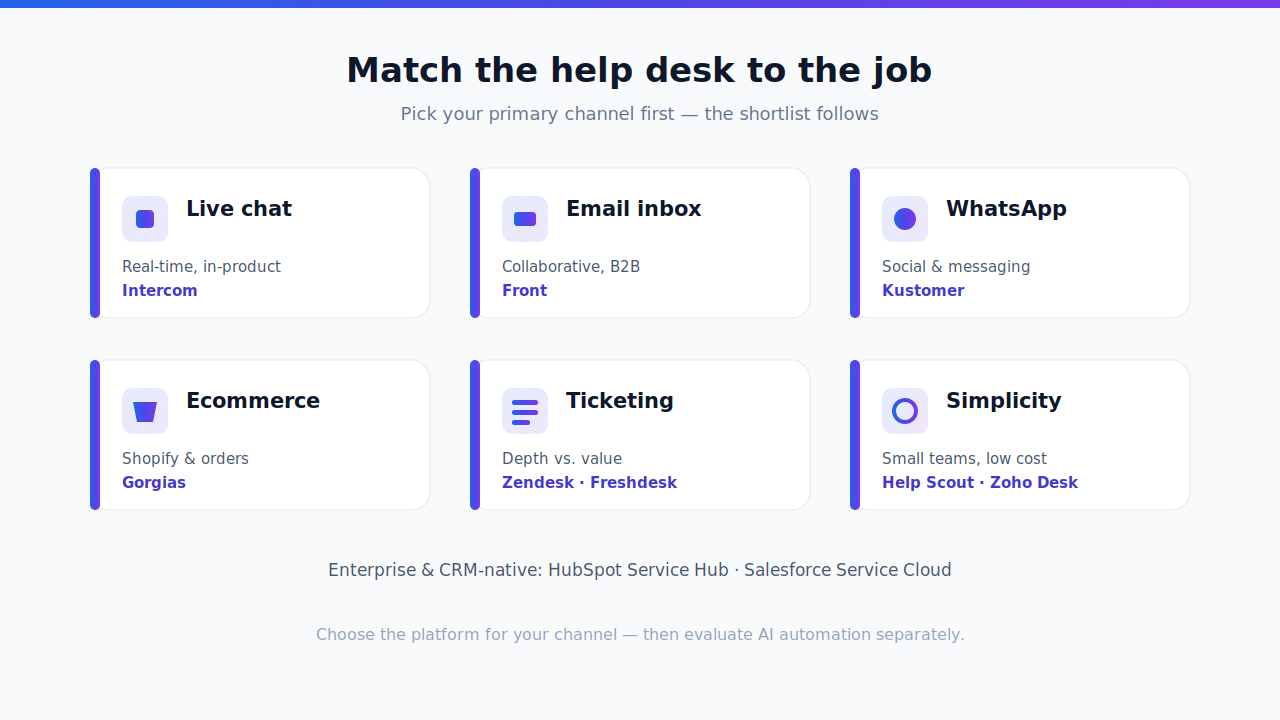
The first is your primary channel and use case — live chat, email, WhatsApp, ecommerce, or classic ticketing. Every tool below has a channel it does best, and matching that is 80% of the decision. The second is price, and the number that matters is seats plus usage, not the sticker per-seat rate — watch especially for per-resolution AI billing. The third is fit and scale: B2B versus B2C, a five-person team versus a global contact center. The fourth is AI and automation — whether the built-in AI truly resolves multi-step cases end to end or just deflects FAQs, and how that automation is priced.
Best Help Desk Software Compared
Pricing legend: $ budget, $$ mid-market, $$$ enterprise.
| Help desk | Best use case | Price | Standout strength |
|---|---|---|---|
| Intercom (Fin) | Live chat & messaging | $$$ | Polished messenger + Fin AI |
| Zendesk | Ticketing at scale | $$–$$$ | Mature, deep app ecosystem |
| Freshdesk | Ticketing on a budget | $ | Best value full helpdesk |
| Front | Email / shared inbox | $$ | Collaborative, email-native |
| Kustomer | WhatsApp & social | $$$ | CRM-style unified timeline |
| Gorgias | Ecommerce | $$ | Native Shopify & order context |
| Zoho Desk | All-in-one value | $ | Feature depth for the price |
| HubSpot Service Hub | CRM-native teams | $$–$$$ | Unified with HubSpot CRM |
| Salesforce Service Cloud | Enterprise & complex ops | $$$ | Endlessly customizable |
The 9 Best Help Desk Platforms
1. Intercom — Best for Live Chat and Messaging
Intercom (now branded Fin) is the standard for chat-first, in-product messaging, with a polished Messenger, proactive campaigns, and the Fin AI agent for automated resolution. It's the pick when conversation and engagement matter more than formal ticketing. The trade-offs are cost and fit: per-seat plans start at $29/seat/month and Fin bills about $0.99 per resolution (Featurebase), its B2C chat-first design suits product-led teams more than B2B ticket workflows, and Salesforce's 2026 acquisition of Intercom adds roadmap uncertainty (Salesforce). See our Intercom alternatives guide for the full comparison.
Pros: best-in-class live chat, strong AI, modern UX, proactive messaging. Cons: expensive at volume, weaker for structured ticketing, acquisition uncertainty.
2. Zendesk — Best for Ticketing at Scale
Zendesk is the default enterprise helpdesk: a deep, ticket-centric system with a huge app marketplace, robust reporting, omnichannel routing, and mature AI agents via its Advanced AI add-on. It's the safe choice for support orgs that have outgrown a simpler tool. The catch is complexity and cost — the platform is feature-dense, and the most useful capabilities sit in higher tiers and paid add-ons. For a fuller list of options, see our Zendesk competitors guide.
Pros: mature and reliable, massive integration ecosystem, strong analytics, scales to the enterprise. Cons: steep learning curve, costs climb with add-ons, heavy for small teams.
3. Freshdesk — Best Value on a Full Helpdesk
Freshdesk delivers a genuine ticketing system — tickets, knowledge base, automation, and Freddy AI — at a fraction of Zendesk's cost, with a free tier and low per-agent pricing (Growth from around $15/agent). In the perennial Zendesk vs Freshdesk debate, Freshdesk wins on value and approachability while Zendesk wins on depth. It's the right call when Intercom or Zendesk feels like overkill for your volume. Our Freshdesk alternatives guide goes deeper on where it fits.
Pros: affordable with a free tier, clean and approachable UI, fast setup, solid automation. Cons: advanced features gated to higher tiers, reporting less deep than Zendesk.
4. Front — Best for Email and Shared Inboxes
Front blends a shared inbox with helpdesk workflows, so email, chat, and social feel like one collaborative workspace with internal comments, assignments, and clean handoffs. It's the pick when your bottleneck is team coordination rather than pure deflection, and it fits B2B and operations-heavy teams that live in email. More context in our Front alternatives guide.
Pros: email-native and intuitive, excellent collaboration, strong for B2B and ops. Cons: lighter on traditional ticketing and reporting, per-seat cost adds up, not built for high-volume FAQ deflection.
5. Kustomer — Best for WhatsApp and Social Messaging
Kustomer treats each customer as a unified, CRM-style timeline rather than a stream of disconnected tickets, and it's especially strong on WhatsApp, social, and other conversational channels. It suits high-volume B2C and retail teams that need full context across messaging channels and heavy automation. For teams priced out of it, see our Kustomer alternatives guide.
Pros: unified customer timeline, excellent WhatsApp/social handling, powerful automation and data model. Cons: enterprise setup complexity, higher and less transparent pricing, overkill for small teams.
6. Gorgias — Best for Ecommerce
Gorgias is purpose-built for online stores, with native Shopify, order, and revenue context inside every conversation, plus automation for repetitive order-status and returns questions. Its ticket-based pricing runs from $10/month (Starter) to $900/month (Advanced), with the AI Agent billed around $0.90–$1.00 per resolved conversation (costbench). For storefronts that measure support by conversion and retention, it beats a general-purpose helpdesk. If ecommerce is your use case, our Gorgias alternatives guide goes deeper on the field.
Pros: deep Shopify/ecommerce integration, revenue attribution, strong retail automation, low entry price. Cons: ecommerce-only focus, ticket + per-resolution AI billing can add up, weaker for B2B or non-retail.
7. Zoho Desk — Best All-in-One Value
Zoho Desk packs a surprising amount — omnichannel ticketing, a knowledge base, workflow automation, and the Zia AI assistant — into a low price point, and it's especially compelling if you already run other Zoho apps or its CRM. It's a strong value pick for SMBs that want breadth without enterprise pricing.
Pros: low cost with deep features, tight Zoho ecosystem and CRM integration, omnichannel support. Cons: interface can feel dated, best value only inside the Zoho ecosystem, onboarding varies.
8. HubSpot Service Hub — Best for CRM-Native Teams
HubSpot Service Hub puts tickets, a knowledge base, a customer portal, and automation on top of HubSpot's CRM, so support shares the same record as marketing and sales. For teams already on HubSpot, that unified customer view is the whole point. Costs rise as you move up tiers, and its pure helpdesk depth trails Zendesk.
Pros: unified with HubSpot CRM/marketing/sales, clean UX, good automation and reporting. Cons: gets expensive at higher tiers, less ticketing depth than specialists, best only if you're on HubSpot.
9. Salesforce Service Cloud — Best for Enterprise and Complex Operations
Salesforce Service Cloud is the enterprise heavyweight: endlessly customizable, deeply omnichannel, tied into the world's most extensive ecosystem, and now paired with Agentforce/Einstein AI. It scales to the most complex support processes — and demands the budget, admin resources, and implementation time to match.
Pros: enterprise-grade and highly customizable, omnichannel at scale, vast ecosystem and AI. Cons: expensive, complex and slow to implement, needs dedicated admins, overkill for SMBs.
Where AI Fits — and Why the Platform Isn't the Whole Answer
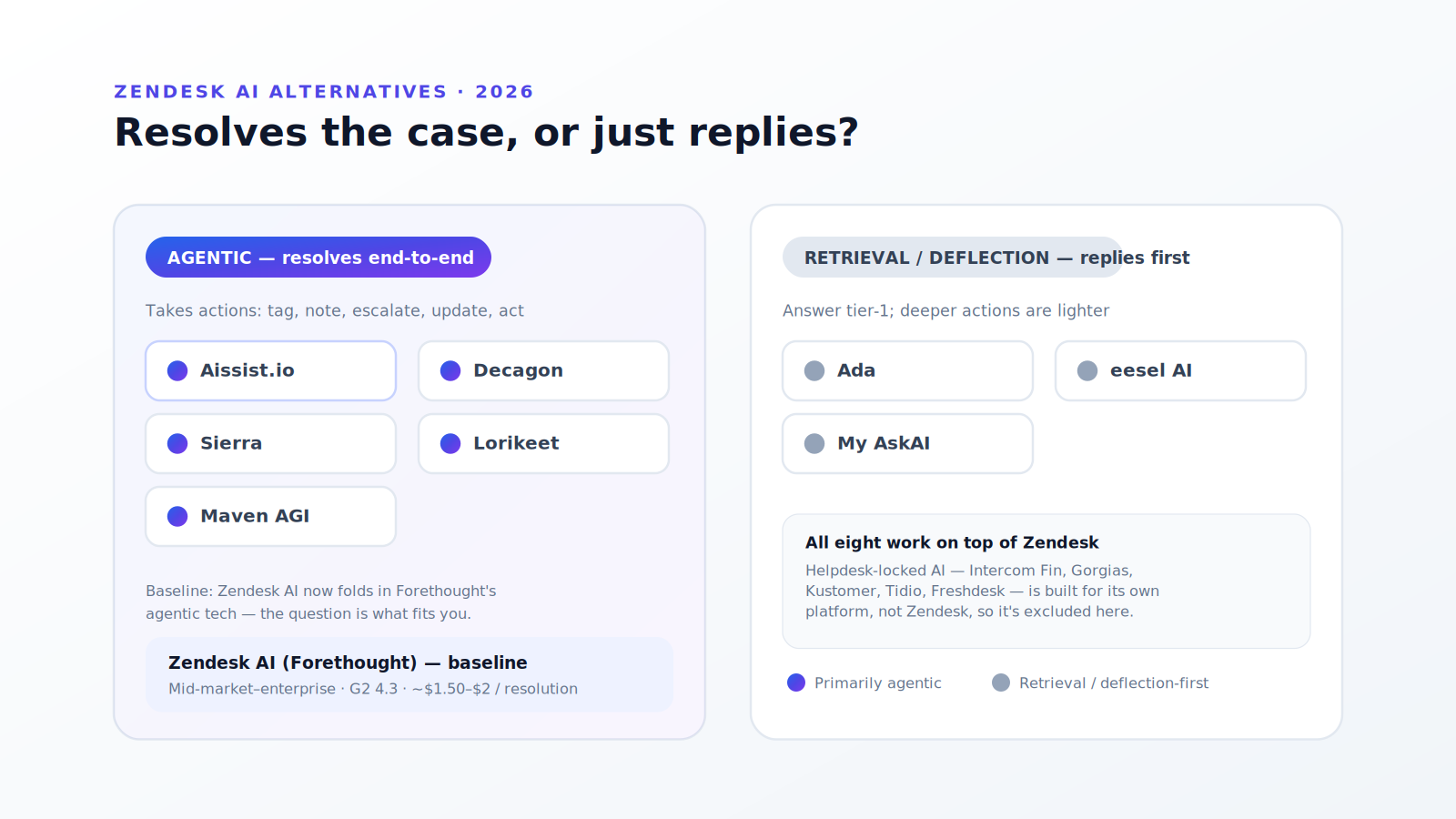
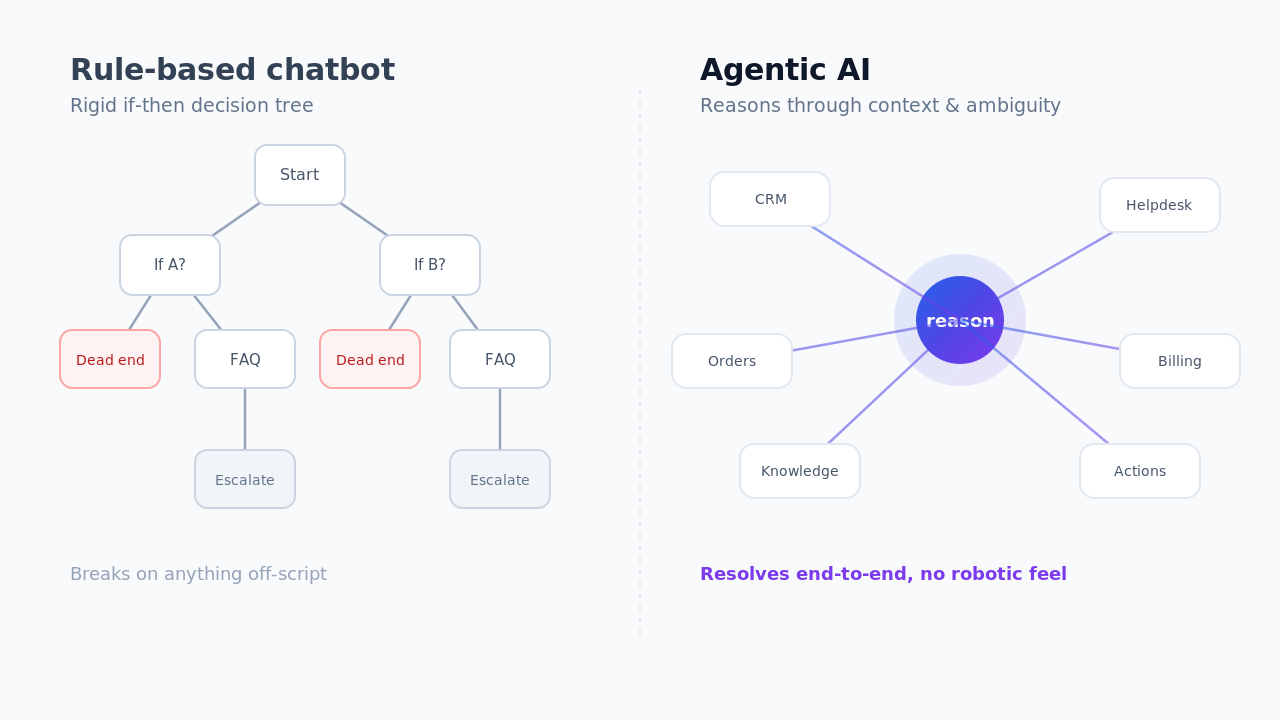
Notice a pattern in the cons: almost every platform's AI either deflects rather than resolves, or charges per resolution so that better automation costs more, not less. The help desk you pick is the system of record; it isn't necessarily the best engine for automation. That's why many teams keep the helpdesk their agents already know and add an AI operational layer on top — one that resolves support and sales end to end across whichever tool you run, connecting natively to Zendesk, Freshdesk, Intercom, Front, Kustomer, Gorgias, HubSpot, and Salesforce. The platform choice and the automation choice are separate decisions — and treating them that way usually beats buying one vendor's bundle.
Keep your help desk, upgrade the resolution. Aissist.io adds an agentic AI workforce on top of the stack you already run, resolving cases end to end rather than deflecting them. See the AI customer service benchmark →
Key Takeaways
The best help desk software is the one that matches your primary channel and constraint. Choose Intercom for live chat, Front for email, Kustomer for WhatsApp and social, Gorgias for ecommerce, and Zendesk or Freshdesk for classic ticketing — Zendesk for depth, Freshdesk for value. Zoho Desk wins on price and feature depth for smaller teams, while HubSpot Service Hub and Salesforce Service Cloud fit CRM-native and enterprise operations. Decide on your channel and budget first, evaluate the AI separately, and the shortlist picks itself.
Frequently Asked Questions
What is the best help desk software in 2026?
There's no single best help desk software — it depends on your primary channel. Intercom leads for live chat, Front for email, Kustomer for WhatsApp and social, and Gorgias for ecommerce. For classic ticketing, Zendesk offers the most depth and Freshdesk the best value. Zoho Desk suits small teams, while Salesforce Service Cloud and HubSpot Service Hub fit enterprise and CRM-native operations.
What is the best help desk software for small business?
For small businesses, Freshdesk and Zoho Desk are the strongest picks. Freshdesk offers a free tier and low per-agent pricing, and Zoho Desk packs the most features for the price, especially inside the Zoho ecosystem. Both avoid the complexity and cost of enterprise platforms while still covering tickets, a knowledge base, and automation.
Zendesk vs Freshdesk — which is better?
Zendesk is better for depth: a larger app ecosystem, more advanced reporting, and enterprise-grade scalability. Freshdesk is better for value: a free tier, lower per-agent pricing, a cleaner learning curve, and faster setup. Choose Zendesk if you're a growing or enterprise support org that needs extensibility; choose Freshdesk if you want a capable full helpdesk without the cost and complexity.
What's the difference between a help desk and a CRM?
A help desk manages customer support conversations — tickets, chats, and knowledge bases — while a CRM manages the broader customer relationship, including sales, marketing, and account data. Some tools blur the line: HubSpot Service Hub and Salesforce Service Cloud are help desks built on a CRM, and Kustomer uses a CRM-style timeline. If support is your main need, a dedicated help desk is usually simpler and cheaper.
Which help desk is best for ecommerce?
Gorgias is the go-to help desk for ecommerce, thanks to native Shopify and order context inside every conversation and automation for order-status and returns questions. Kustomer is a strong alternative for high-volume, multi-channel retail brands that rely heavily on WhatsApp and social messaging. Both connect support directly to revenue, which general-purpose helpdesks like Zendesk don't do out of the box.
How much does help desk software cost?
Help desk pricing ranges widely. Budget tools like Freshdesk (free tier, ~$15/agent) and Zoho Desk sit at the low end; Front and HubSpot Service Hub are mid-market; and Intercom, Kustomer, and Salesforce Service Cloud are enterprise-priced. Watch usage-based AI billing especially — Intercom's Fin and Gorgias's AI Agent both charge roughly $0.90–$1.00 per resolution, so effective automation can raise your bill.
Should I choose a help desk based on its built-in AI?
Not on AI alone. Built-in AI varies widely, and much of it deflects FAQs rather than resolving multi-step cases — and per-resolution billing means better automation often costs more. A practical approach is to pick the help desk that fits your channel, team, and budget, then evaluate automation separately, including a dedicated AI layer that sits on top of your helpdesk and resolves cases end to end.
Can I use more than one help desk channel in one tool?
Yes. Most modern help desks are omnichannel, unifying email, chat, phone, and social in one inbox — Zendesk, Freshdesk, Kustomer, Zoho Desk, and Salesforce Service Cloud all do this well. The difference is which channel each does best: Intercom excels at chat, Front at email, Kustomer at WhatsApp and social. Match the tool to your highest-volume channel first, then confirm it covers the rest.