Featurebase reviewed on its support workflow, Fibi AI billing, plan limits and product feedback tools, with a worked cost model for 10 support agents.
Featurebase combines a help desk, an AI agent and product feedback tools. Its strongest fit is a software team that wants support conversations and product requests in the same system. The buying decision comes down to the channels you need, the plan that includes them and how much work Fibi resolves.
The published starting price is $29 per seat/month on annual billing, plus AI usage. That entry plan covers less than the full product. Teams needing AI over email, custom actions or automated routing should price the higher tier before comparing costs.
TL;DR
- What it is: A customer support platform with Fibi AI Agent, an inbox, tickets, documentation and feedback management.
- Best fit: Software teams bringing customer support and product requests into one workflow.
- Main advantage: A customer conversation can become an investigation or a product request without losing its context.
- Main trade-off: Seats and AI usage are separate charges, and important automation features sit above the entry plan.
Methodology & sources
- Sources: Featurebase’s public product pages, pricing table and support documentation, checked 23 November 2026.
- Scope: A review of published capabilities and billing terms. The cost example is calculated from listed rates, not a measured deployment.
- Evidence: Performance figures are attributed to Featurebase. No independent resolution benchmark was run for this article.
Disclosure: This article was prepared as part of a reciprocal content exchange between Featurebase and Aissist.
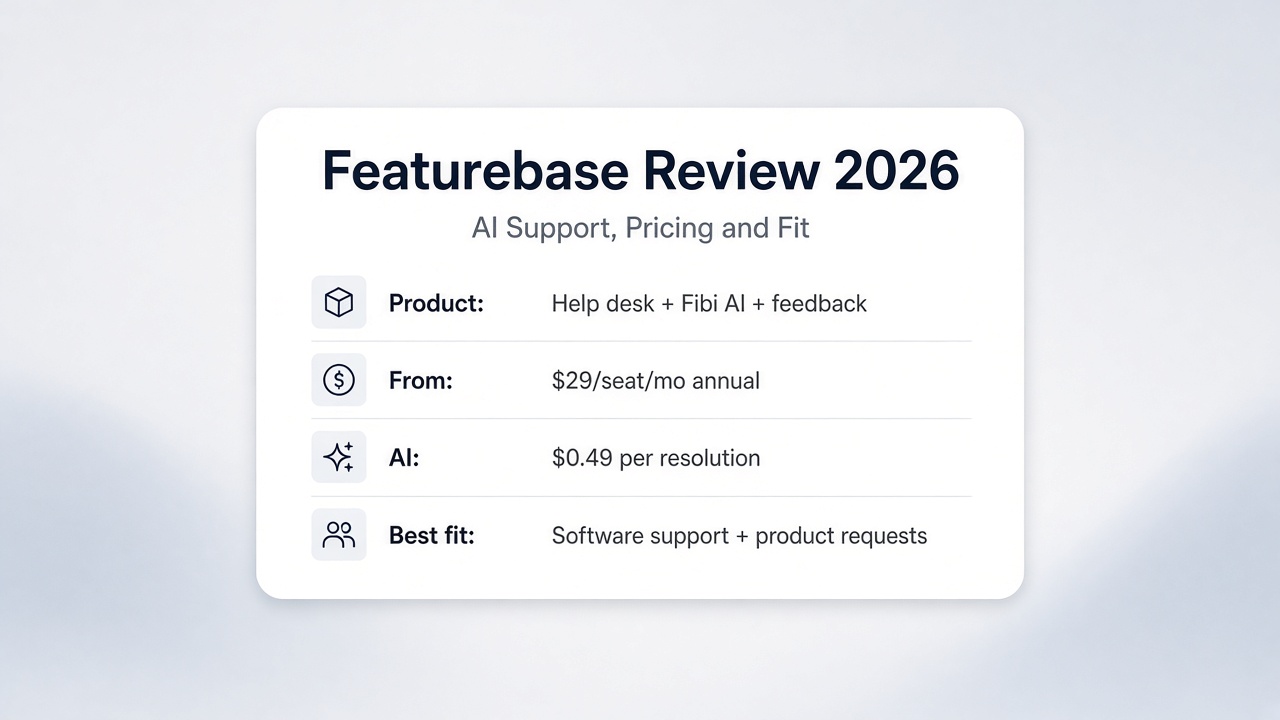
Featurebase at a glance
| Attribute | Detail |
|---|---|
| Product | Help desk with Fibi AI Agent and customer feedback management |
| Support workspace | Shared inbox, live chat, email, tickets and team collaboration |
| AI roles | Fibi answers customers; Copilot assists teammates |
| Product feedback | Feedback portal, voting, roadmap and changelog |
| Deployment decision | Evaluate the support workspace as well as its AI |
| Best fit | Software teams whose support work regularly involves product questions, bugs and requests |
The help desk is central to the product. You are evaluating where agents work, how requests move between teams and what happens after an AI answer.
What can Featurebase do?
Answer questions and take configured actions
Fibi uses help articles, websites, files and Q&As to answer customers. Teams define its instructions and handoff behavior. A teammate can continue the same conversation when the request needs human help.
Actions extend that workflow beyond documentation. Through custom API actions, Fibi can retrieve account data or carry out a task such as extending an eligible trial. These require configuration, access to the relevant system and instructions controlling when the action runs.
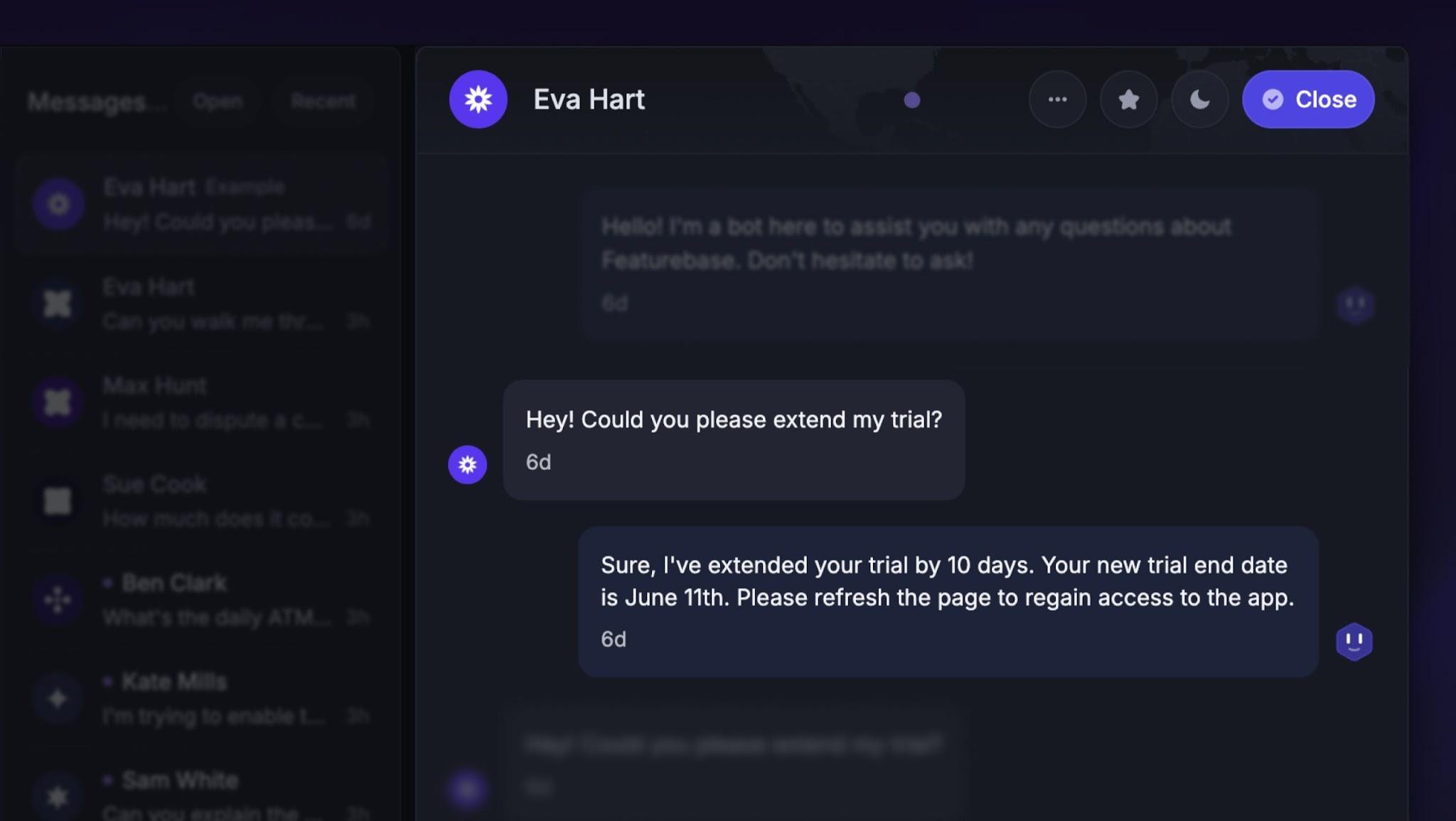
Fibi completes a trial extension through a configured action. Source: Featurebase.
That distinction matters in a demo. Explaining how a trial works and changing its expiry date are separate capabilities. Test the actual task you want automated.
Keep human investigations in the same workflow
The inbox gives agents customer context, assignment and internal collaboration. Copilot can draw on help articles, internal content and past conversations to assist with replies. The teammate still reviews what goes to the customer.
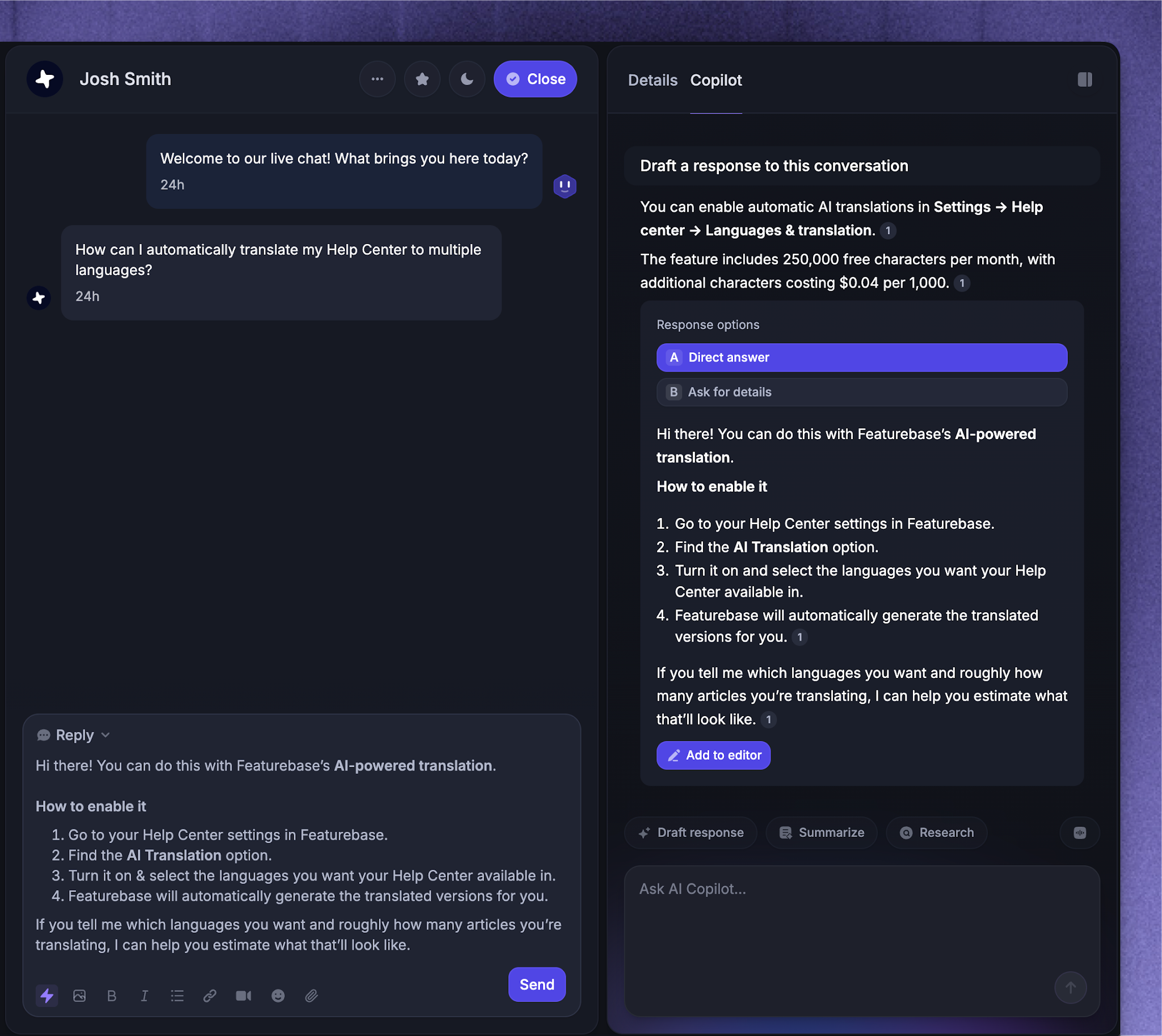
Copilot drafts a response alongside the customer conversation. Source: Featurebase.
For longer investigations, tickets add fields, ownership and statuses. A failed integration can remain open while engineering checks it, with the customer continuing in the same thread.
This is where the full platform earns its place. Answering a setup question is one task. Collecting logs, assigning an owner and keeping the customer informed is another.
Use documentation, routing and reporting together
The help center gives customers searchable documentation and supplies knowledge for AI answers. Workflows control routing, information collection and where Fibi participates. SLAs track response commitments.
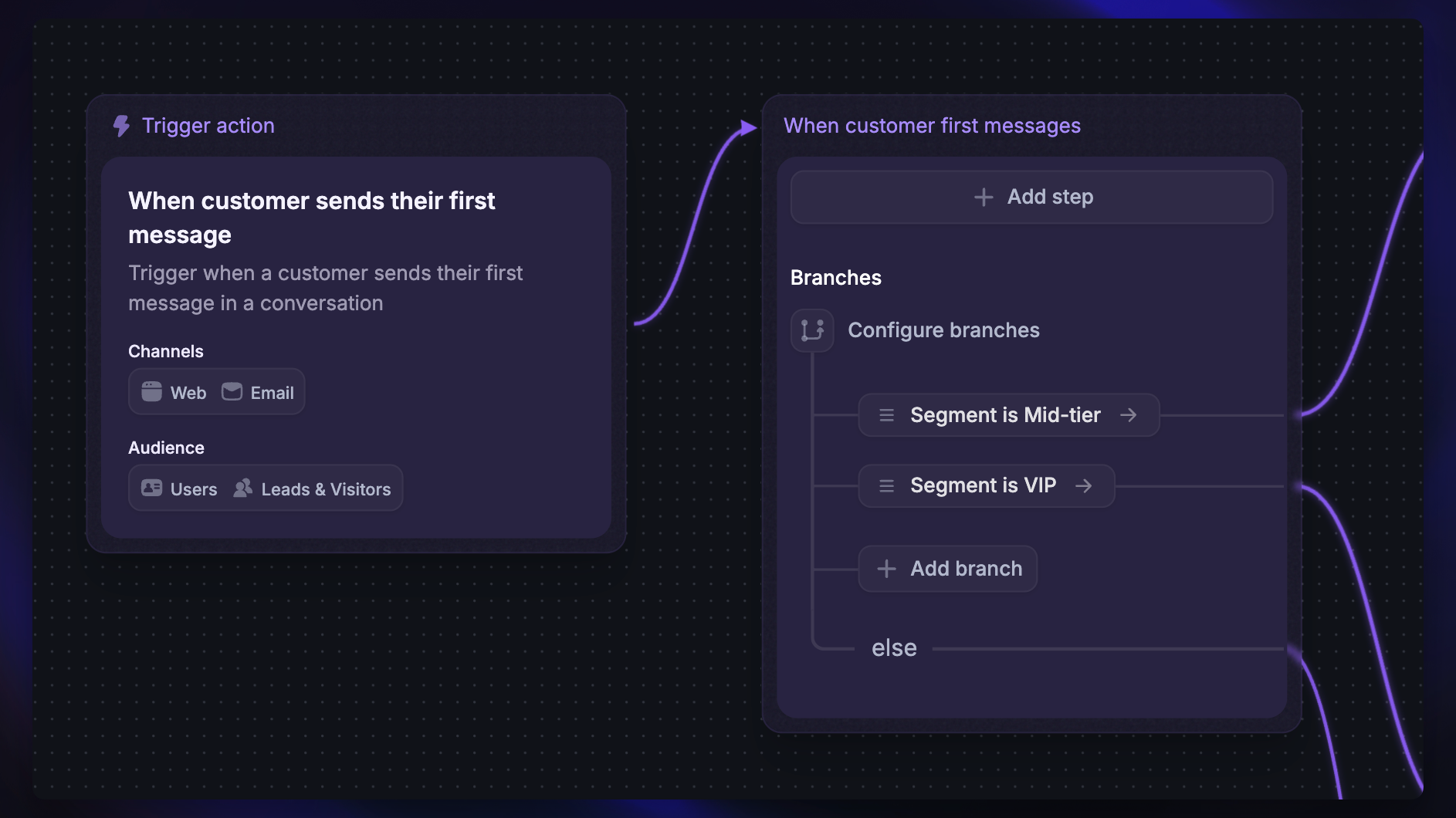
Workflow branches route conversations by customer segment. Source: Featurebase.
Reporting covers AI resolutions, handoffs, response times and customer satisfaction, with access to the underlying conversations. Use that detail to find the reason behind a change. More handoffs might mean missing documentation, a newly released bug or a request that correctly needs a person.
A higher automation rate is useful only if the customer still gets the right result. Review reopened conversations and satisfaction alongside it.
Carry product requests beyond the support ticket
Featurebase also provides feedback collection, voting, roadmaps and changelogs. Teams can collect requests from conversations and other channels, review the customers behind them and notify users when a requested change ships.
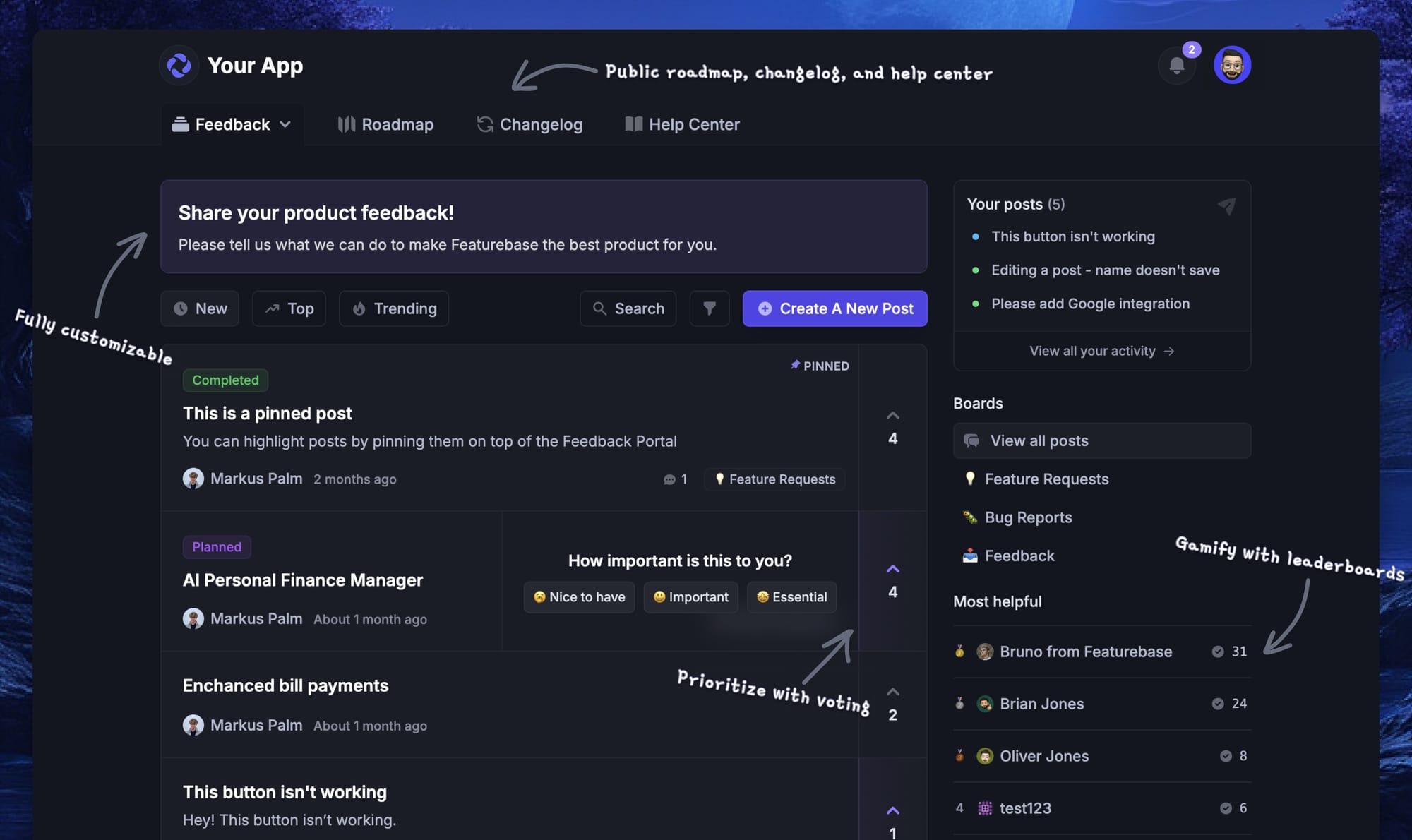
Featurebase’s feedback portal connects requests, voting and roadmap access. Source: Featurebase.
This is a practical advantage for software support. A customer asking for a missing permission setting needs an answer now, but the request should also reach the team deciding what to build. Featurebase supports both parts of that process.
Featurebase pricing: which plan do you actually need?
The public rate card lists the following USD prices. Annual rates are monthly equivalents with an annual commitment. Checked 23 November 2026.
| Plan | Per seat/month, annual billing | Per seat/month, monthly billing | Selected capabilities |
|---|---|---|---|
| Free | $0, one seat | $0, one seat | Live chat, tickets, 50 help articles |
| Growth | $29 | $37 | Fibi in chat, email inbox, reports |
| Professional | $59 | $75 | Fibi over email/Slack, workflows, SLAs, custom actions |
| Enterprise | $99 | $129 | Multi-brand workspace and advanced administration |
Growth supports email handled by teammates, but AI replies over email require Professional or Enterprise. The same higher tiers unlock custom Fibi actions and workflows. For teams needing those features, Professional is the relevant starting comparison.
What triggers the $0.49 AI charge?
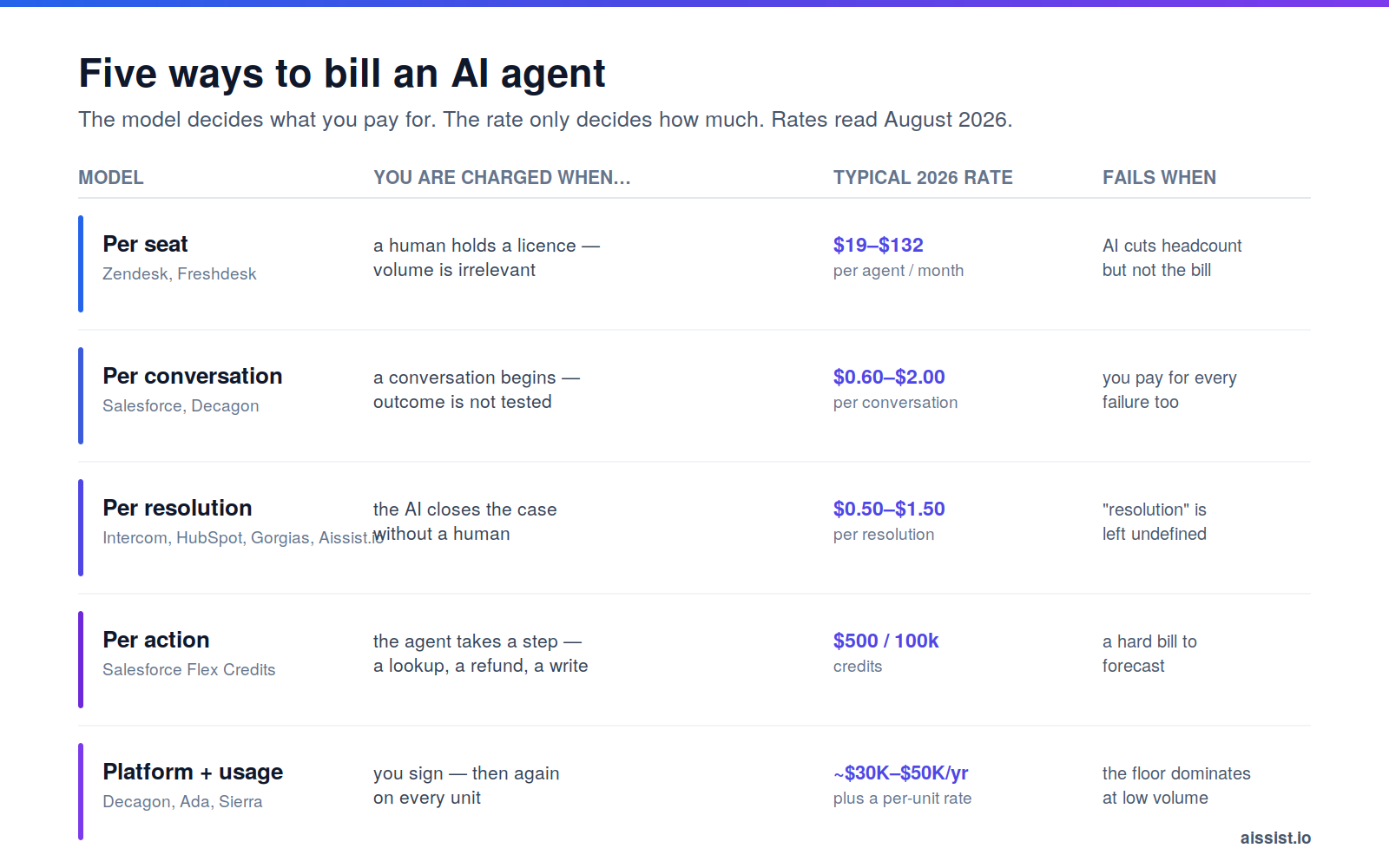
Fibi costs $0.49 per resolution. Its billing documentation counts two outcomes: the customer confirms the answer helped, or leaves without asking for more assistance. A greeting alone does not count.
The charge applies once per conversation. If the customer returns to the same conversation for further help, the resolution is deducted, including across billing periods.
Human involvement has a specific condition. If the customer asks for more help or a person, the conversation is unresolved and not charged. If a teammate joins after Fibi answers, without that customer request, the documentation says a resolution charge can still apply.
During a trial, inspect those cases. A billed resolution includes inferred success, so it should not be treated as identical to a customer-confirmed fix.
A worked cost example
Assume 10 full support seats and 2,000 monthly conversations, of which 1,200 become billable Fibi resolutions. The 60% assumption is for budgeting, not a forecast.
| Monthly cost component | Growth, annual billing | Professional, annual billing |
|---|---|---|
| 10 full seats | 10 × $29 = $290 | 10 × $59 = $590 |
| 1,200 Fibi resolutions | 1,200 × $0.49 = $588 | 1,200 × $0.49 = $588 |
| Combined monthly equivalent | $878 | $1,178 |
| With unlimited Copilot for all 10 seats | $1,068 | $1,368 |
Unlimited Copilot adds $19 per seat/month. Paid plans include 10 Copilot conversations per seat/month without that add-on. The seat subscriptions above cost $3,480 or $7,080 annually; AI usage is additional. Taxes and other optional usage are excluded.
Use Featurebase’s pricing calculator to model your own seats and usage. For the broader differences between per-seat, per-conversation and per-resolution charges, see our AI agent pricing models guide.
Which integrations matter for a support team?
Featurebase’s integrations connect support with the systems holding customer and product context.
- Linear, Jira, GitHub and ClickUp: Connect development work to support or feedback items.
- HubSpot and Salesforce: Bring customer information and feedback into the workflow, with capabilities varying by plan.
- Slack: Handle customer conversations and collect feedback from connected channels.
- APIs, webhooks and Zapier: Connect other systems and build custom workflows.
Check what each connector synchronizes. A feedback integration with another help desk does not establish that Fibi can run as its support agent. Confirm the deployment you need before treating two integration logos as equivalent.
What do Featurebase’s performance claims tell you?
Featurebase’s Fibi page publishes a 73% average resolution figure and an “up to 80%” headline. It also carries a SocialBu testimonial reporting more than 80% of that customer’s support queries resolved by AI.
Those are different claims: a vendor-published average, a headline ceiling and one customer’s result. They are not an independently verified forecast for your queue.
Use a trial to establish your own baseline. Include ambiguous requests, incomplete documentation and cases that need escalation. Record correct answers, reopened issues and customer satisfaction as well as the number counted as resolved.
Pros and trade-offs
Pros
- Support and feedback share a workflow: Useful when agents regularly pass bugs and requests to product or engineering.
- AI handoff preserves the conversation: Teammates can see what the customer asked and what Fibi answered.
- Costs can be modeled before a sales call: Published seat and usage rates make the budget calculable.
- The trial covers a meaningful evaluation: Use the 10-day period to test your actual channels and escalation cases.
Trade-offs
- Plan selection changes the budget: Email AI, actions and routing need a higher tier than basic chat AI.
- AI usage sits on top of seats: The subscription price alone does not describe the support bill.
- Connected actions need implementation: Your team still supplies the APIs, permissions and operating rules.
- Changing the support workspace takes work: If you already have a help desk, include migration and agent training in the decision.
Who should choose Featurebase?
Shortlist Featurebase if your software team wants to consolidate support, documentation and product requests. It is especially relevant when the same issue needs both an immediate customer response and follow-up from the people building the product.
Evaluate a different deployment model if keeping the current help desk is a firm requirement. Aissist adds AI automation to existing support platforms. That preserves the current agent workspace, but you still need that help desk and its subscription.
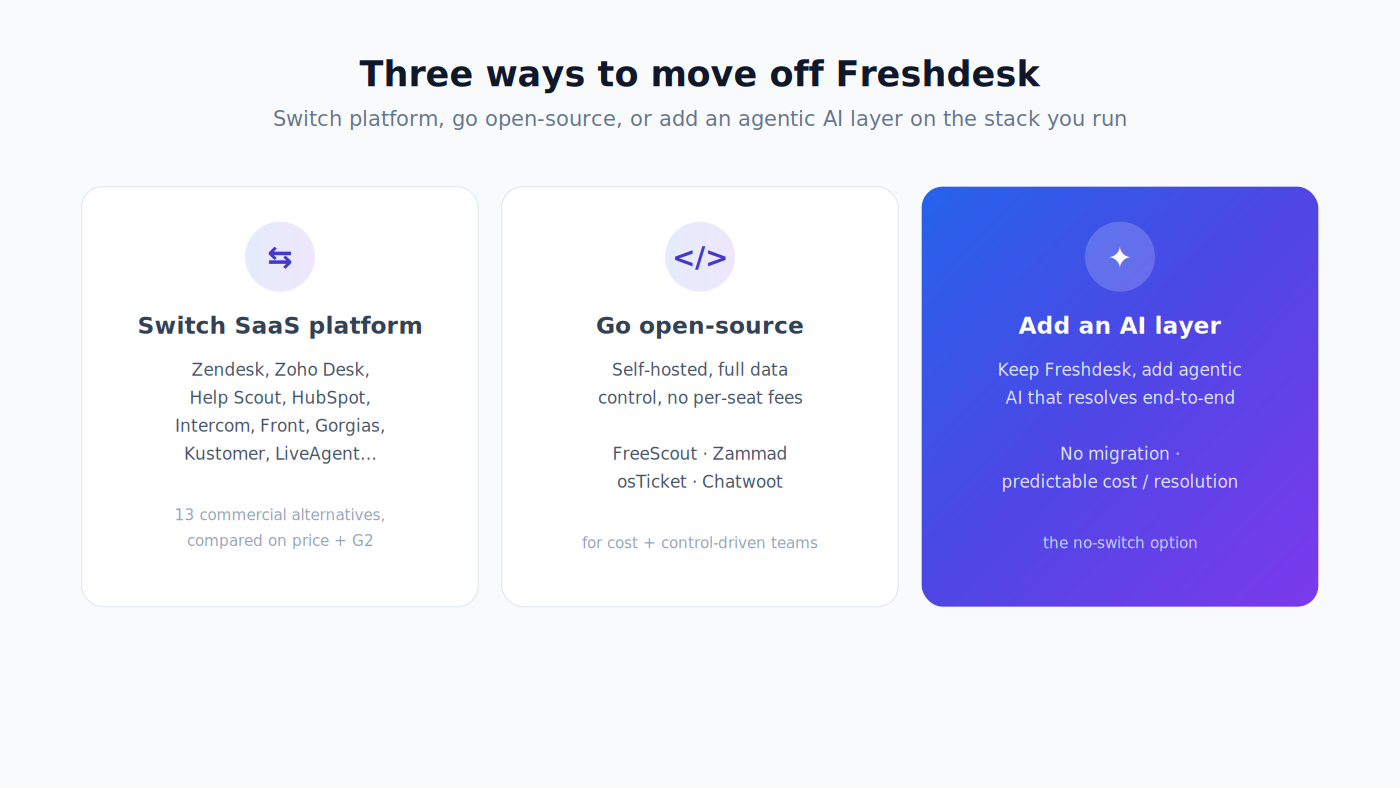
The two approaches solve different operational needs. Choose the support workflow first, then compare the AI performance and total cost within it. Our Freshdesk alternatives guide separates those deployment choices across a wider shortlist.
The verdict: price the workflow you will use
Featurebase is a credible option for software support teams that want AI, human investigations and product feedback connected. Its value is clearest when those jobs currently require agents to move information between systems.
Build the comparison around your required channels, actions and routing rules. Then test that configuration on real examples. The useful result is a support process your team can run at a cost it understands.
Frequently asked questions
Does Featurebase have a free plan?
Yes. Free includes one seat, live chat, inbox and ticketing, unlimited conversations and up to 50 help articles. It does not include Fibi.
What is the difference between Fibi and Copilot?
Fibi responds to customers and can use configured actions. Copilot assists the human teammate with research and reply preparation inside the inbox.
Can Fibi perform account actions?
Yes, through configured API actions. Your team defines the connection and instructions, and should test permissions and failure cases before allowing those actions in live conversations.
Does a human handoff always remove the AI charge?
No. The billing documentation distinguishes a customer asking for more help from a teammate joining after an answer. See the resolution rules above, including the deduction when a customer returns seeking further assistance.
Is Featurebase still a feedback platform?
Yes. Feedback collection, voting, roadmaps and changelogs remain part of the product alongside its support capabilities.